
Summary
Wordtune is an AI-powered writing assistant designed for a range of users, from individual professionals and students to collaborative teams. Its core capabilities include composing and rewriting text, condensing longer material, translating into English, checking grammar and spelling, and adjusting tone. These features aim to help users produce clearer, more polished writing with less manual editing.
A notable capability is paraphrasing: Wordtune can generate alternative phrasings for a selected passage quickly, often with a single action. That makes it useful for drafting or refining emails, articles, essays, and other written communications where different wording or emphasis is needed.
The summarization functionality can shorten long documents, web pages, and video transcripts into briefer summaries, helping users get a quicker overview of source material. This can be helpful for tasks like literature review, market research, or catching up on long articles and lectures.
Wordtune also includes proofreading and grammar checks that flag and suggest corrections for common errors, which may be especially useful for non-native English speakers or anyone aiming to tighten clarity. Tone controls let users shift phrasing toward more formal, casual, or neutral styles, making it easier to adapt writing for different audiences.
There is a free tier for trying core features, and paid plans with additional capabilities and support for heavier or team usage. Prospective users should assess their typical volume and feature needs when choosing a plan, balancing cost against how much they expect to rely on the tool.

Product Overview & Key Takeaways
Wordtune is an AI-assisted writing and paraphrasing tool designed to help users draft, revise, and adapt text across a range of contexts. It provides features aimed at rewriting, summarizing, translating into English, and checking grammar, along with options to adjust tone. The product targets a broad set of users—from business and social media teams to students, educators, and individual writers—who need faster iteration and clearer phrasing.
Feature Set and Functionality
Wordtune focuses on helping users change phrasing and tone quickly. It offers predefined tone options (for example, more casual or more formal presets) and rewriting suggestions that let users produce alternative phrasings without starting from scratch. This can be useful for teams that need to adapt the same message for different audiences or platforms—for instance, drafting a more formal announcement and then producing a shorter, more conversational version for social channels.
The tool also provides summarization capabilities to shorten longer passages into concise overviews, which can save time when reviewing large documents or extracting key points.
Multilingual and Translation Support
Wordtune includes translation features that emphasize translating content into English from a set of other languages. This can aid teams working across language boundaries by producing an English-version draft that teammates can review and refine. Users relying on less common language pairs should verify whether their specific languages are supported.
Quality and Efficiency
Wordtune includes grammar and proofreading features that surface common issues and suggest corrections, helping users produce cleaner drafts with less manual editing. It also offers rewriting options that aim to make generated or edited text sound more natural; however, results may still require user review to preserve voice, nuance, and context.
Implementation Considerations
Wordtune is commonly used via a browser extension that can operate in many web-based editors. Organizations should test how it fits into their existing workflows—especially in collaborative environments—by checking compatibility with tools like Google Docs, Microsoft Word, or other platforms their teams rely on. Evaluate how suggestions are managed in shared documents and whether the tool matches internal style and review processes.
Trade-offs and Limitations
Wordtune provides useful drafting and editing aids, but there are limits to consider. Its translation support is primarily focused on English as the target language and may not cover all language pairs. Tone-adjustment features can help shift register, but they may not capture nuanced cultural or regional differences in style. As with any AI writing assistant, outputs often benefit from human review to ensure accuracy, appropriateness, and alignment with brand voice.
Key Takeaways
- Versatile AI writing assistant for rewriting, summarizing, translating into English, and grammar checking.
- Serves a wide range of users, from business and social media teams to students and individual writers.
- Offers tone-presets to shift style (e.g., casual vs. formal) and generate alternative phrasings.
- Includes translation into English from several other languages; verify support for specific language needs.
- Summarization and proofreading features can improve speed and draft quality but typically require user review.
- Test integration with existing collaboration tools and workflows to ensure smooth adoption.
- Be aware of limitations around translation scope and cultural nuance in tone adjustments.
- Ease of use8.8
- Automation depth7.2
- Integrations6.3
- Pricing value8.3
- Support docs9.0
Verdict at a Glance
Wordtune is an AI writing assistant focused on rewriting and paraphrasing, with functionality that can help anyone who produces or edits text regularly — from individual writers and students to business teams. Its interface emphasizes quick rewrite options and tone adjustments (for example, switching between more casual and more formal phrasing), which can streamline drafting and revision tasks.
The product also includes summarization tools that can condense longer documents and some types of web content into shorter overviews. That capability can speed up information processing for social media, support, or research workflows, though the degree of coverage and the inputs supported can vary by workflow and plan. An integrated grammar- and proofreading-oriented feature set further helps polish output and catch surface errors that manual editing might miss.
On pricing and access, Wordtune offers a free tier alongside paid plans that are intended for heavier or more advanced usage. Organizations and individuals should review the limits and features available at each level, and consider whether any available discounts (for students or educators) apply to their situation.
For implementation, a browser extension and web-based interfaces make it fairly straightforward to use Wordtune within existing online workflows. The main tradeoff to weigh is convenience versus scale: casual users may find the free tier sufficient for intermittent work, while teams or heavy users will likely need a paid plan to unlock higher usage and advanced capabilities.
In short, Wordtune is a practical choice for people who want fast rewriting, tone control, and basic summarization in their everyday writing. Prospective users should match the product’s plan limits and integration style against their typical workloads to determine fit.

Core Use Cases & Who It’s For
Wordtune is an AI-assisted writing and paraphrasing tool that can support a variety of everyday writing workflows. Below are common use cases where users typically find value, and situations where the tool may be less well suited.
Best For
-
Business teams and professionals: Wordtune can help teams draft and polish emails, reports, and presentations more quickly. Its rewriting and tone-adjustment options make it easier to adapt copy for different audiences (for example, more formal or more casual language). Teams that need to produce consistent, audience-appropriate communications may find these features useful, and some collaboration workflows can be supported depending on how teams choose to share and edit content.
-
Students and educators: The app’s proofreading and phrasing suggestions can assist with grammar and clarity in essays and papers. Its summarization and simplification tools may also help when condensing or unpacking longer texts for study or teaching materials. Educators and students should use these features as an aid rather than a substitute for subject-matter guidance and academic standards.
-
Social media teams: For social media content, Wordtune can speed up the creation of multiple post variations and adapt messaging to different tones or platform styles. This makes it useful for teams that do A/B testing or need to tailor short-form copy across channels.
-
Nonprofits and support teams: The tool includes translation and phrasing features that can assist with converting content between languages or clarifying messages for broader audiences. These capabilities can be helpful in multilingual contexts, though organizations with critical translation needs may still prefer dedicated translation services or human translators for accuracy.
-
Writers and content creators: Creators who use AI for first drafts may find Wordtune helpful for making text sound more natural and readable. It can assist with tightening phrasing and preserving a consistent voice, which is useful when refining drafts produced by humans or other AI tools.
Not Ideal If
-
Highly technical or specialized writing: Wordtune is primarily aimed at general-purpose writing. For highly technical, legal, or scientific documents that require precise domain expertise and specialized terminology, users may need dedicated tools or expert human review to ensure accuracy and compliance.
-
Creative writing that prioritizes originality: Writers focused on literary experiments, poetry, or highly original storytelling may find AI-driven suggestions less useful for generating novel ideas or distinctive stylistic voice. The tool tends to prioritize clarity and coherence over avant-garde creativity.
-
Work that requires offline access: Wordtune functions mainly as an online service. Users who must work reliably offline should consider alternatives that offer native offline capabilities.
-
Tight budgets with heavy feature needs: There is a free tier, but more advanced features are available only on paid plans. Teams and individuals should evaluate whether the paid features justify the cost for their expected usage patterns.
In short, Wordtune is a practical option for improving clarity, tone, and productivity in a range of common writing tasks. It is often a good fit for professionals, students, and content teams looking for editing and paraphrasing assistance, while those needing deep domain expertise, highly original creative output, or offline functionality should consider complementary solutions.
Features & Capabilities
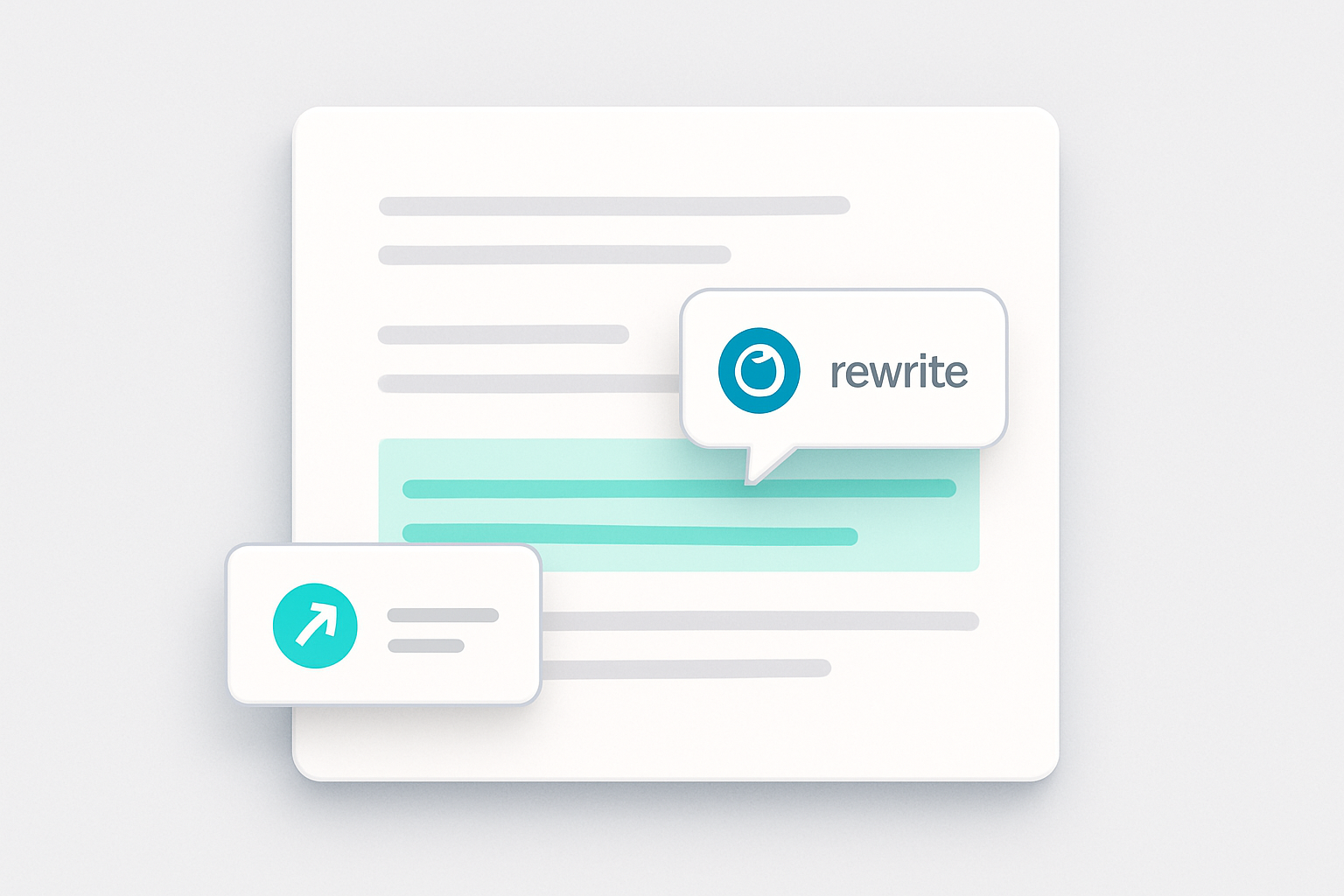
Wordtune provides a set of writing tools intended to improve efficiency and clarity. The features target common tasks such as rephrasing, tone adjustment, grammar checking, and summarization. Below are the core capabilities, practical caveats, and buyer-facing guidance to help you evaluate how the product would fit into real workflows.
Paraphrase and Rewrite
The paraphrasing tool generates alternative ways to express provided text, which can help reduce repetition or clarify phrasing. In the editor, users can paste content and review multiple alternative phrasings to choose one that fits their intent. Paraphrasing can reduce overlap with existing wording, but it is not a substitute for original analysis or citation when required.
What to verify and test:
- Try the tool on several content types (emails, blog paragraphs, technical descriptions) to see how well it preserves meaning and technical accuracy.
- Check that critical facts, figures, or citations remain correct and properly attributed after rephrasing.
- Confirm whether the output aligns with your brand voice or requires manual adjustment.
Practical trade-offs:
- Paraphrasing speeds drafting and editing, but relying on it heavily can lead to a homogenized voice that may need additional customization.
- The tool helps with wording but cannot replace domain expertise for technical, legal, or scientific content.
Tone Switching
Tone switching lets users adjust writing style along familiar dimensions (for example, more casual or more formal). The option is available from the editor interface and produces revised text that aims to match the selected tone. Users should review results to ensure the adjusted tone matches their voice and the context of the communication.
Buyer-fit guidance:
- Useful for teams that regularly adapt messaging for different audiences (customer support vs. executive communications).
- Less valuable when strict brand or legal tone requirements demand human review.
Evaluation checklist:
- Test tone conversions on customer-facing messages and internal notes to check consistency.
- Confirm the tool preserves any required formalities or disclaimers after tone adjustment.
Grammar Checker & Proofreading
Wordtune offers grammar and proofreading suggestions that point out spelling, grammar, and phrasing issues and propose corrections. Suggestions often appear as you edit and can help produce cleaner, more readable text. As with other automated tools, these checks may miss subtle or domain-specific issues, so manual review remains important for technical or high-stakes content.
Implementation considerations:
- Decide whether suggested edits should be applied automatically or require user approval in your team workflow.
- Create a short onboarding guide so staff know when to accept automated suggestions and when to escalate to subject-matter reviewers.
Verification steps:
- Run the tool on documents with known, subtle style issues to see which suggestions you agree with.
- Compare suggested corrections against your style guide and make a plan for consistent handling of preferences (e.g., Oxford comma, title capitalization).
Read and Summarize
The summarization feature condenses longer text (or content referenced by a URL) into shorter overviews that highlight main points. This can be useful for quickly digesting long documents or articles, though summaries may omit nuance or detailed argumentation. Treat summaries as a starting point rather than a full replacement for reading the source material when depth matters.
How to use safely:
- Use summaries to triage or prioritize reading tasks, but validate key claims by checking the original source before making decisions.
- For research or legal contexts, cross-check the summarized points to ensure no material context has been lost.
Testing suggestions:
- Compare generated summaries against manually created abstracts to evaluate completeness and fidelity.
- Try summarizing documents of different lengths and complexity to see where the tool performs best and where it degrades.
Contextual AI Writing
Contextual writing assistance generates suggestions that continue or expand on a piece of text based on the surrounding content. A suggestion panel in the editor presents context-aware options intended to help overcome writer’s block or speed drafting. These suggestions are based on patterns in language models and may require refinement to match original intent or novelty needs.
Workflow implications:
- This feature can accelerate first drafts and brainstorming but typically requires editing for accuracy and originality.
- Teams should establish review steps for any AI-assisted text that will be published externally.
Evaluation points:
- Test the contextual suggestions with partial paragraphs to see whether continuations stay on topic.
- Verify that generated content does not introduce unsupported statements or incorrect details.
Humanize AI Content
The humanize feature attempts to make generated text sound more natural and less mechanical. It offers revised versions that aim for a more authentic tone, which users can review and edit further. Achieving a fully natural voice may still require manual edits and personal input.
When to apply:
- Useful when AI-generated passages sound stilted or overly formal and require a more conversational or personable tone.
- Less helpful if you need a highly standardized corporate voice that must follow strict wording.
Practical caveat:
- “Humanized” outputs should still be reviewed for accuracy, appropriateness, and compliance with brand or legal requirements.
AI Recommendations
AI-driven recommendations surface ideas for vocabulary, clarity, and flow as content evolves. A sidebar or inline prompts typically present these suggestions to help improve readability and coherence. Users should evaluate each recommendation to ensure it fits their audience and goals.
How to adopt:
- Treat recommendations as prompts rather than final edits—use them to spark improvements and then apply human judgment.
- Decide how prescriptive the tool should be for different user groups (e.g., junior writers vs. experienced editors).
Wordtune Editor
The Wordtune Editor acts as the primary workspace, bringing the product’s tools together in one interface. It supports common text formats and includes options to use the tools alongside other writing environments; specifics of platform compatibility can vary, so users should confirm integration support for their preferred apps and workflows.
Integration and deployment considerations:
- Confirm compatibility with the operating systems, browsers, and document platforms your team uses.
- Assess how the editor handles importing/exporting content and whether formatting is preserved.
- If you rely on collaboration features (comments, tracked changes, version history), verify whether the editor supports your collaboration needs or how it will fit alongside existing tools.
Security, privacy, and compliance (things to verify):
- Review the vendor’s published documentation or contact support to understand data handling and retention practices before uploading sensitive or proprietary text.
- Check whether the product can be used in your regulated environments or whether additional safeguards are required.
Limitations and trade-offs
- Accuracy vs. speed: AI can accelerate drafting and editing, but speed gains can come at the cost of accuracy or nuance. Plan for a human review step when precision matters.
- Consistency vs. creativity: Automated suggestions may push content toward commonly seen phrasing. Use the tool to help iterate, but expect to customize for originality.
- Domain specificity: For specialized fields (legal, medical, technical), AI suggestions may not respect domain conventions and should be validated by experts.
Evaluation checklist before buying or rolling out
- Run pilot tests with representative content types and measure time saved, quality of output, and editing overhead.
- Test paraphrase, tone, grammar, and summary outputs for accuracy and alignment with your style guide.
- Confirm platform and format compatibility with your existing tools and workflows.
- Clarify data handling, privacy, and compliance details relevant to your industry.
- Train users on best practices: when to trust automated suggestions, when to edit, and how to preserve citations and factual accuracy.
In sum, Wordtune’s features are aimed at a range of writing needs—from drafting and rephrasing to polishing and summarizing. These tools can help writers work more efficiently, but they work best when paired with active user judgment, appropriate review workflows, and checks for accuracy, voice consistency, and compliance.
Pricing & Plans
Wordtune provides multiple subscription tiers aimed at different user types, from individual writers to larger organizations. If a Basic or entry-level tier is offered in your region, check the current signup flow and activation requirements. The descriptions below outline typical feature separations between plans; exact limits, pricing, and availability can vary by region and over time, so review Wordtune’s pricing pages for current details.
Basic Plan
The Basic plan is an entry-level tier that covers foundational writing assists, including spelling and grammar checks. It is intended for occasional use and personal projects; usage limits apply to features such as rewrites and document summarization, so frequent or high-volume users may find it restrictive.
Who it fits: Individuals, students, or casual users who need basic correction and light editing help and who do not rely on daily high-volume rewriting or summarization.
What to verify: current per-day or per-month caps for rewrites and summaries, available languages, and any feature differences versus paid tiers.
Advanced Plan
The Advanced plan is aimed at users who need expanded usage and more writing tools than the entry-level tier provides. It typically offers higher daily and monthly limits for rewrites and summaries, plus broader access to AI recommendations and quality checks. The plan is commonly sold with multiple billing cadence options; teams or individuals who produce content regularly may prefer this tier depending on their workflow and budget.
Trade-offs: Annual billing can lower the effective monthly cost but reduces flexibility if needs change mid-year. If you produce variable volumes of content, compare the plan’s effective cost against your expected usage.
Implementation considerations: Confirm billing cadence (monthly vs annual), how upgrades and downgrades are handled, and whether existing content or account credits are affected when changing plans.
Unlimited Plan
The Unlimited plan is marketed to users who require substantially higher usage allowances and broader feature access. Compared with mid-level plans, it may offer increased usage limits and additional features focused on clarity, fluency, and vocabulary, and sometimes includes enhanced support. This tier is aimed at professional writers and teams with consistent high-volume needs; organizations should evaluate whether the incremental benefits align with their usage patterns.
Who it fits: Professional writers, content teams, and power users who regularly produce high volumes of text and want broader feature access and priority assistance.
What to verify: the exact scope of any “unlimited” or high-usage claims — verify current plan limits, fair-use or reasonable-use policies, support levels included, and whether any advanced features require specific client-side configuration.
Business Plan
Wordtune offers business and enterprise arrangements intended for larger organizations. These options commonly include centralized invoicing, single sign-on (for example, SAML SSO), and administrative controls to simplify user management. Detailed enterprise features and procurement options are documented in Wordtune’s business resources and help center.
Buyer-fit guidance: If you need centralized invoicing, SSO integration, or admin-level user provisioning, investigate the Business plan offerings and ask for a demonstration of the admin console and onboarding workflows.
What to verify: supported identity providers for SSO, user provisioning and deprovisioning workflows, centralized billing capabilities, and any minimum seat requirements or procurement steps.
Additional Considerations
If a trial or promotional offer is available, check the current terms — for example, its duration, whether billing applies during or after the promotion, and how subscription conditions are handled once the promotion ends. Billing practices, refund policies, and promotional specifics are governed by Wordtune’s billing policy, so prospective subscribers should consult those documents before committing.
Discounts for eligible students, educators, and nonprofit organizations may be offered through an application process; the size and eligibility criteria for such discounts are specified by Wordtune. For teams, enterprise buyers, or purchasers with specialized compliance needs, request documentation and a demo to confirm fit.
Verification checklist before purchasing
- Confirm current plan limits for rewrites, summaries, and AI recommendations.
- Check billing cycles and the handling of upgrades, downgrades, and cancellations.
- Review any trial or promotional offer terms, including length, whether billing applies, and applicable subscription conditions.
- Ask about refunds and the vendor’s billing policy for disputed charges.
Pros & Cons
In evaluating Wordtune, it helps to weigh clear strengths against potential limitations so buyers can judge fit for their workflows.
Pros
-
Entry-level or trial availability may be offered — verify signup requirements
If a trial, promotional offer, or entry-level tier is available, check the current signup flow to confirm what access it provides and whether any payment details are required. Confirm current terms and limits before relying on an evaluation period for decision-making. -
Summarization across formats
The tool provides summarization features for documents and web content, and can work with video content when transcripts are available — helpful for quickly distilling longer material. -
Fact-checking support using multiple sources
Wordtune can reference and cross-check claims against multiple sources, providing users with pointers to corroborating material to aid verification. -
Multilingual translation features
The product includes translation tools that help convert content between English and several other languages, which can assist multilingual teams and non-native English writers. -
Reported productivity gains
Some users report meaningful time savings and efficiency improvements across tasks such as brainstorming, captioning, and support workflows when they adopt Wordtune into their processes. -
Faster email drafting and editing
Many users find Wordtune useful for speeding up routine email composition and improving clarity, which can be beneficial for people who handle high email volumes.
Cons
-
Limited functionality on entry-level offerings
Entry-level tiers or promotional offers may include usage limits and restricted access to advanced features; verify current plan limits, fair-use terms, and which features are gated behind paid tiers to understand whether a higher tier is needed for heavier use. -
Risk of over-reliance on AI suggestions
Relying heavily on AI-generated phrasing can discourage some users from developing their own voice or critical editing habits; human review remains important. -
Accuracy and contextual limitations
Like other AI writing tools, Wordtune can misinterpret nuanced tone or domain-specific context, requiring manual adjustments for specialized or highly sensitive content. -
Integration gaps for niche workflows
Wordtune provides a browser extension and mobile apps, but integration with certain enterprise or niche tools may be limited depending on your ecosystem. -
Learning curve for new users
While the interface is generally approachable, users often need time to learn how to get consistent results and to adopt best practices for combining AI suggestions with their own edits.
Additional buyer guidance, verification checklist, and implementation notes
-
Who this suits best: individuals, small teams, and content-focused roles (writers, marketers, customer support agents) who need to speed routine writing, summarize materials, or translate into/from English. Organizations with heavy compliance or domain-specific accuracy requirements should plan for additional review steps.
-
What to verify before committing: if an entry-level tier, trial, or promotional offer is available, review its usage limits and what features are gated behind paid tiers; confirm the specific languages supported for translation; test summarization on the types of content you use (long PDFs, web pages, or video transcripts); and validate how the browser extension behaves with your preferred web apps and internal systems.
-
Implementation considerations: introduce Wordtune gradually and set guidelines for human review to avoid over-reliance on AI outputs. Train users on how to prompt the tool for consistent tone and check for domain-specific accuracy. If you plan to use it in customer-facing or regulated content, establish sign-off workflows and version controls.
-
Data and privacy caveats: evaluate how Wordtune handles sensitive or proprietary text before processing it through the tool. For confidential workflows, confirm organizational policies and any available controls around data retention or enterprise administration.
-
Trade-offs to weigh: Wordtune can save time on routine composition and summarization, but faster outputs may require extra editing to ensure nuance and factual correctness. There is a balance between efficiency gains and the need for human oversight to maintain brand voice and accuracy.
-
Trial evaluation checklist: during your evaluation period, try tasks representative of your daily needs — write and edit sample emails, summarize documents and video transcripts, test translations for naturalness, and assess the browser extension and mobile experience. Record time saved and quality of outputs to inform purchase decisions.
In short, Wordtune offers practical features that can improve writing speed and clarity for many users, but organizations should consider usage caps, integration needs, content-sensitivity, and the need for human oversight when assessing whether it fits their workflows.
Integrations & Ecosystem
Wordtune is primarily an AI-powered writing assistant that operates as a standalone product, but it can be integrated into existing workflows through a browser extension and API. It does not typically present a long list of prebuilt native connectors; instead, its extension and developer-facing interfaces are the main routes teams use to incorporate its capabilities.
Browser Extension for Seamless Integration
The most common integration point is Wordtune’s browser extension, which enables the tool to operate inside web-based editors. In practice this means users can invoke rewriting, paraphrasing, and grammar/tone suggestions while working in online editors and webmail interfaces. That inline access reduces context switching and can speed routine editing for people who draft content in browsers—for example, when composing emails or editing documents in web-based tools.
API Access for Custom Integrations
For organizations that need deeper or programmatic access, Wordtune provides an API that can be used to embed its text-processing features into custom applications. Depending on commercial terms and technical setup, teams can route content through the API to apply rewriting, tone adjustments, or clarity improvements inside customer support tools, content management systems, or other internal platforms.
Potential Integrations with Common Business Tools
Wordtune does not emphasize a broad marketplace of direct connectors to CRMs, email-marketing platforms, advertising networks, or data warehouses. That said, the browser extension and API enable indirect integration patterns: marketing teams can use the extension when drafting campaign copy in an email platform, and support agents can apply Wordtune’s suggestions when composing messages that are then recorded in a CRM. These integration approaches are generally ad hoc and depend on how teams incorporate the extension or API into their existing processes.
Enhancing the Writing Ecosystem
When used consistently, Wordtune can raise the baseline quality of written work across a team by making it easier to produce clearer, more concise, or more appropriately toned text. That can be useful for internal communications on collaborative platforms and for content teams preparing material for publishing systems. However, the value depends on how the tool is embedded in workflows and governance around editing and review.
Considerations for Integration
Before integrating Wordtune, evaluate whether its features align with your needs and technical capacity. If your team handles multilingual content, Wordtune offers features that some teams use to assist with cross-language drafting and tone adjustments. Conversely, implementing the API typically requires development effort and planning around security, throughput, and review processes. Consider whether the browser extension’s convenience or the API’s flexibility better matches your priorities and resources.
Implementation and Trade-offs
The browser extension is usually the quickest route to deployment and suits teams that want immediate, low-effort gains. The API provides more control and automation potential but typically requires more development time and ongoing maintenance. In all cases, Wordtune’s suggestions are most effective when paired with human oversight—especially for communications that require domain expertise, legal review, or creative nuance.
In short, Wordtune’s ecosystem centers on its browser extension and API. Those options offer flexible integration patterns for many common use cases, but organizations should assess the technical and governance trade-offs to determine the best fit for their workflows.
Onboarding, UX & Support
Wordtune provides a relatively straightforward onboarding flow aimed at individual writers and teams. Account creation and initial setup are simple, and the product includes features intended to help non-native English speakers and multilingual teams during onboarding. For example, the editor can work with text in multiple source languages and produce English rewrites or suggestions, which can help cross-language collaboration—though exact language support depends on the plan and locale.
User Interface and Experience
The interface is designed for clarity and ease of use, with a clean editor and plainly labeled controls that reduce the learning curve. The layout emphasizes a primary editing surface where users paste or type text and receive suggestions, which can help people focus on writing rather than navigating complex menus. This straightforward design typically suits users who want quick access to rewriting, tone, and clarity tools without extensive configuration.
Tutorials and Documentation
Wordtune maintains a help center with structured documentation and overview articles to guide new and returning users. Resources are organized by topic—settings, mobile use, business administration, and technical guidance—making it easier to find setup steps or troubleshooting information. Business-focused sections commonly cover team management and admin controls, while individual-user articles focus on maximizing rewriting and editing features.
Support Channels
Support options include self-serve help articles and an in-center chatbot for quick answers to common questions. For more involved issues, users can contact support through the product’s support channels—typically email or a web support form—and can expect varying response times depending on demand and the support tier associated with their account. Users with urgent enterprise needs should confirm expected SLAs as part of procurement.
Business Support Features
Business-oriented plans commonly offer enterprise features such as SAML single sign-on (SSO) and centralized billing to simplify administration and align with corporate identity controls. These capabilities are aimed at organizations that need centralized user management and simplified invoicing, though availability and configuration options depend on the chosen plan and account settings.
Pricing and Support
Higher‑tier subscriptions generally include expanded limits (for example, more rewrites, summaries, or advanced suggestions) and access to elevated support. Pricing structures and promotional discounts—for students, educators, or nonprofits—vary over time and by region; prospective buyers should review current plan details on the vendor’s pricing page and consider expected usage to determine value.
Implementation Considerations
Rolling Wordtune out across an organization benefits from planned training and clear usage guidelines. Although the product is designed to be accessible, brief onboarding sessions can help teams adopt features consistently and avoid over-reliance on automated suggestions. IT teams should verify compatibility with their identity provider if they plan to use SSO and confirm billing flows if centralized invoicing is required. In educational settings, institutions may want to set policies around appropriate use to preserve learning objectives.
Conclusion
Wordtune’s onboarding, UI, and support are oriented toward ease of use and practical adoption across individuals and teams. The product pairs a straightforward editor and organized documentation with a range of support channels and enterprise options, but exact capabilities and service levels depend on plan selection. Organizations should review current plan details, expected usage patterns, and administrative requirements to determine fit and any additional training or IT preparation needed.
Limitations & Gotchas
While Wordtune is positioned as a general-purpose AI writing assistant, there are practical limits and tradeoffs users should know about. These tend to show up with sustained use and may not be emphasized on marketing pages.
Plan Limitations
Wordtune is offered in multiple tiers (commonly labeled Basic, Advanced, and a higher-tier plan). Lower tiers are free or lower-cost and include usage caps on features such as rewrites and summarizations, while higher tiers relax those caps. If you rely on the tool heavily—for example, to rephrase many documents each day or to summarize long volumes of text—those caps can become a workflow constraint and may require upgrading or batching work. Conversely, the top tier reduces or removes many usage limits, which can be more than some casual users need.
Workflow Challenges
Wordtune’s interface and delivery mechanisms can affect how easily it fits into existing workflows.
- Integration model: Wordtune is primarily delivered via a browser extension and web interface. That makes it convenient in browser-based workflows but can require manual copy/paste or workarounds in environments that are not browser-native. Teams that need deep, native integration with particular document editors or enterprise systems may find the available integration options limited or reliant on indirect approaches.
- Suggestion alignment: The AI provides style and phrasing suggestions that speed drafting for many use cases, but those suggestions are not always a perfect match for a specific brand voice, technical domain, or nuanced intent. Users producing industry-specific or highly tailored copy may need to review and edit suggestions rather than accept them verbatim.
Usage Scenarios
Some common situations where limitations become important:
- High-volume creators: Writers, agencies, or marketing teams that generate large amounts of content may hit usage limits on lower tiers or find the need to adopt different workflows to avoid interruptions.
- Multilingual work: Wordtune includes features that help convert text into English and assist non-native English writers, but its strength is focused on English output. Teams that need native writing support across many languages should evaluate whether Wordtune meets those needs or whether they’ll need supplemental tools.
Conclusion
Wordtune can speed up drafting and editing for many users, but it’s not without tradeoffs. Consider how the product’s tiered usage limits, browser-focused integrations, and the general nature of AI suggestions align with your volume, collaboration needs, and language requirements before committing. For some teams, it will be a strong fit; for others, it may need to be supplemented with additional tools or processes.
How It Compares to Key Alternatives
Wordtune sits in the broader category of AI writing and paraphrasing assistants. When evaluating it against other options, several practical decision criteria often matter: pricing approach, ease of use, governance and admin controls, integrations, learning curve, and the kinds of users or teams it best serves. The notes below frame how Wordtune tends to align with those criteria and where shoppers should run additional checks against their specific requirements.
Pricing Model
Wordtune uses a tiered pricing approach with at least one no-cost entry option and higher tiers for added features. Some plans or purchasing routes may include discounts for students or nonprofits. This general model can be helpful for individuals and small teams who want to test functionality before committing to paid access. Other tools in the category may require paid access up front or offer different trial conditions, so budget-conscious buyers should compare trial terms, seat pricing, and discount policies across vendors.
Ease of Use
Wordtune emphasizes a simple, focused interface designed for quick text edits—paraphrasing, tone adjustments, and grammar-related suggestions are presented in a straightforward way. That can reduce onboarding friction for users who prefer a minimal learning curve. Competing products sometimes expose more advanced settings or a broader feature set, which may provide greater control but can also increase complexity for new users.
Governance
For organizational deployments, Wordtune offers enterprise-oriented controls in some plans, such as centralized billing and single sign-on (SSO) options. These kinds of features help when IT and security teams need to manage accounts and access at scale. Buyers with strict governance or compliance needs should verify the exact admin, authentication, and audit capabilities available in the plan they are evaluating, since offerings vary across vendors and tiers.
Integrations
Wordtune is commonly used directly in browsers and as a browser extension, which makes it easy to apply in web-based writing contexts. It may also provide other integration options depending on plan and product version. If deep integrations with specific platforms or enterprise systems are a priority, prospective users should confirm whether those integrations are native or require connectors and whether they meet their workflow requirements.
Learning Curve
The product is designed to be approachable for a wide range of users, from students to business writers, so many people can start using core features with little training. Alternatives that bundle more advanced editing, team workflow, or content-management features can require a longer ramp-up. Consider how much training time your team can allocate when weighing options.
Best-Fit Profile
Wordtune tends to fit users who want a lightweight, accessible writing assistant for paraphrasing, tone adjustment, and basic grammar support—individuals, students, and small to mid-sized teams may find it a good match. Teams seeking highly specialized editorial controls, extensive enterprise integrations, or a very broad feature set may prefer tools that emphasize those capabilities. Match the tool’s strengths to your specific workflows and security needs rather than looking for a one-size-fits-all option.
In short, Wordtune’s strengths are its accessibility and ease of adoption. When choosing among alternatives, evaluate pricing, governance, integration depth, and the expected learning curve to determine which tool best aligns with your team’s priorities.
Best Practices & Tips
To get the most reliable results from Wordtune, adopt workflows that combine the tool’s suggestions with human review. The tips below are intended to help you use common Wordtune features efficiently while avoiding typical pitfalls.
-
Paraphrase and rewrite thoughtfully: Use Wordtune’s rewrite/paraphrase options to generate alternative phrasings when you want to reduce repetition or reframe sentences. Treat suggestions as starting points: verify that any change preserves your intended meaning, tone, and factual accuracy before accepting it.
-
Summarize with purpose: Use the summarization feature to extract main ideas from long documents, web pages, or videos when you need a quick overview. Cross-check the summary against the source when accuracy matters—summaries can omit nuance or details important in academic, legal, or technical contexts.
-
Proofread and check grammar: Let Wordtune help flag grammar, spelling, and phrasing issues, but perform a manual review for complex or specialized writing. Automated checks are helpful for common errors, yet they can miss context-dependent problems like domain-specific terminology or subtle style choices.
-
Translate cautiously: Use translation tools to produce a working English draft from another language. Expect to edit for cultural nuance, register, and domain-specific vocabulary. When precision is important, have a proficient or native speaker review the result.
-
Humanize AI-generated drafts: If you use AI to create initial drafts, run the text through Wordtune to adjust clarity and voice, then refine further by hand. Human editing helps ensure emotional nuance, context relevance, and authenticity.
-
Adjust tone and style deliberately: Use tone/style controls (e.g., formal vs. casual) to adapt content to different audiences. Consider platform conventions and audience expectations when selecting a tone, and review the output to ensure it fits your purpose.
-
Integrate into your workflow selectively: Add Wordtune where it reduces friction—browser extension, desktop, or mobile tools can speed editing—but avoid relying on it for whole-document decisions without human oversight. Configure shortcuts and settings that match how you work to minimize interruptions.
-
Learn the editor’s tools: Spend time in the Wordtune Editor to understand available functions (formatting, organization, rewriting). Familiarity helps you use features more efficiently and keeps documents better structured.
-
Track updates and feature changes: Wordtune evolves over time. Check official release notes or communications to learn about new capabilities and any changes that might affect your workflow.
Using these practices—combined with critical review—can help you make more consistent, context-appropriate edits and reduce the risk of errors when relying on writing-assistance tools.
Pricing Details & Plan Overview
Wordtune is offered in multiple plan tiers aimed at different user types, from occasional individual writers to professionals and teams. Plans are commonly presented as Basic, Advanced, and Unlimited (or similar tier names), with each tier generally providing progressively broader access to writing tools such as rewrites, summaries, and grammar/spelling assistance. A free tier is available, and the company has offered short trial periods in the past. Discounts for students, educators, and nonprofits may be offered depending on eligibility and current promotions.
| Plan | Typical feature scope | Trial availability | Discounts |
|---|---|---|---|
| Basic | Entry-level access to core grammar and spelling checks; limited access to higher-level rewrite/summarization features | Varies by offer | May be available |
| Advanced | Expanded access to rewrites, summaries, and AI suggestions; more generous usage limits and additional features compared with Basic | Varies by offer | May be available |
| Unlimited | Broadest access to rewriting and summarization tools and additional refinement features (vocabulary, clarity/fluency suggestions); higher usage allowances and enhanced support options | Varies by offer | May be available |
For the most up-to-date pricing, exact plan names, and current trial or discount details, refer to Wordtune's official pricing page.
FAQ
What is Wordtune?
Wordtune is an AI-assisted writing tool that focuses on paraphrasing and editing, with features commonly used to adjust tone, change length, correct grammar and spelling, and produce or condense text. It is available as a browser extension and through other integrations, which lets users apply those capabilities across documents, web apps, and other workflows. Teams, students, and individual writers typically use it to speed up drafting and revision tasks, while still relying on their own judgment for final content.
Buyer-fit guidance:
- Good for users who spend time rewriting, polishing, or summarizing existing text rather than only generating entire documents from scratch.
- If your workflow is browser-based or relies on web apps, the extension form factor is likely to fit naturally. Verify compatibility with the specific apps and browsers your team uses.
Implementation considerations:
- Check integration and deployment options (browser extensions, enterprise installs) and whether admin controls or centralized billing are available if you plan to roll it out to multiple users.
- Verify language and platform support for the environments where your team writes most often.
How is Wordtune different from other AI writing assistants?
Wordtune is positioned as a combined reading-and-writing assistant that emphasizes paraphrasing and summarization alongside generation. Compared with tools that focus primarily on long-form generation, Wordtune places extra emphasis on rewriting, tone adjustments, and extracting key points from longer inputs. That can be useful when you want to rephrase text for a different audience or quickly distill information from longer sources.
Trade-offs to consider:
- If your primary need is long-form content generation (e.g., drafting multi-thousand-word articles from a brief prompt), compare Wordtune’s strengths in rewriting and summarization with competitors that emphasize generation.
- If you require fine-grained control over creative output or specific style consistency across long documents, evaluate how well Wordtune’s tools integrate with your editing and review process.
Evaluation criteria:
- Test different writing tasks (rewrites, tone shifts, summaries) with representative content to see where Wordtune saves time.
- Assess how much post-editing the outputs require to meet your quality standards.
Does Wordtune only work in English?
Wordtune is primarily oriented toward English output, but it also supports translating content from various other languages into English. Supported source languages typically include many widely spoken languages; exact language coverage can vary, so check the product documentation for current details.
What to verify:
- Confirm the specific source languages supported today if you rely on non-English input.
- Test a sample translation for nuance and technical vocabulary relevant to your domain, since automatic translation quality can vary by language pair and subject matter.
Can Wordtune help with essay writing?
Yes—Wordtune can assist with drafting, restructuring, clarifying, and editing essays. It can suggest alternative phrasings, help adjust tone and length, and surface options for clearer expression. However, users should treat its outputs as draft material: verify facts, provide proper citations, and follow academic integrity guidelines when using paraphrasing features.
Academic caveats:
- Use Wordtune as an editing and drafting aid rather than a substitute for original work. Many institutions have specific rules about using AI tools—check your school’s policies.
- Always verify quotations, facts, and citations independently and ensure paraphrases are transformed enough to meet your institution’s standards.
What are Wordtune's plans and pricing?
Wordtune offers a limited free tier and higher-capacity paid tiers that unlock additional features such as more rewrites, expanded summarization, and other productivity tools. Exact plan names and feature limits change over time, so review the service's pricing page for current tiers and what each includes. Educational and nonprofit pricing options are often available—contact support for confirmation.
How to choose a plan:
- Estimate the volume of rewriting and summarization your team will do to decide between a limited free tier for occasional use and paid tiers for frequent workflows.
- Look for trial or evaluation options (if available) and compare how feature limits affect your most common tasks.
- Ask sales or support about team management features, centralized billing, and any available discounts for educational or nonprofit organizations.
If a trial or promotional offer is available, what should I verify about charges and signup?
If a trial or promotional offer is available, check the current offer and subscription terms to confirm its duration and how charges are handled. Review the signup flow to see whether a payment method is requested, what triggers charges after a promotional period, and what cancellation procedures are required. Offers and billing practices can change, so verify these details on the provider’s pricing and subscription pages before enrolling in any promotion.
Verification checklist before starting a trial or promotional offer:
- Read the offer terms and cancellation instructions so you understand how to avoid unwanted charges.
- Confirm which features are included in the promotional period and test the ones that matter most to your workflow.
- Note key dates (offer start/end) and set reminders if you may need to cancel.
Do you offer refunds?
Refund policies vary by provider and plan. Check Wordtune's terms of service or contact customer support to learn the specific refund and cancellation policies that apply to your purchase. To avoid unexpected charges, review billing dates and cancellation requirements for your selected plan.
Practical advice:
- Save receipt and subscription confirmation emails in case you need to reference billing dates.
- If you are purchasing on behalf of an organization, verify internal approval and refund processes before committing.
What forms of payment do you accept?
Common payment methods include major credit and debit cards and widely used digital wallets and payment platforms. Accepted payment options can vary by region and over time; consult the checkout page or support documentation for the current list of supported methods.
What to check:
- Confirm payment options available in your country or region.
- If you prefer invoicing or purchase orders for team subscriptions, contact support to see whether alternative billing arrangements are possible.
Do you offer discounts for nonprofits, NGOs, or academia?
Educational and nonprofit pricing options are often available—contact support for confirmation.
How to apply and what to prepare:
- Be ready to provide documentation that verifies nonprofit or academic status if a discount is offered.
- Ask support about eligibility criteria, whether discounts apply to monthly and annual plans, and any limitations on discounted accounts.
How accurate and reliable are Wordtune’s outputs?
Like other AI writing tools, Wordtune can produce helpful phrasing and summaries but may also generate inaccuracies or suggest language that needs verification. Treat outputs as starting points that require review for factual accuracy, tone, and compliance with any legal or institutional standards.
Verification steps:
- Independently verify facts, figures, and citations suggested or produced by the tool.
- Run sensitive or domain-specific outputs by a subject-matter expert before publishing.
Where can I get more help?
For the most current details about features, supported platforms, pricing, and policies, consult Wordtune’s official documentation and support channels. If you have enterprise or accessibility needs, reach out to sales or customer support to discuss available options and deployment guidance.

Conclusion
Wordtune is an AI-powered writing assistant whose core capabilities include rewriting and paraphrasing, summarizing, translating into English, and grammar/tone adjustments. These features make it a flexible option for a range of writing tasks, though suitability will depend on each team's specific priorities.
Potential fits
- Business teams may find the paraphrasing and rewrite tools useful for clarifying internal communications and drafting client-facing messages, potentially speeding up routine writing tasks.
- Nonprofits can use summarization to produce shorter updates and reports for stakeholders.
- Professionals benefit from grammar and proofreading tools when polishing documents.
- Social media and marketing teams can leverage tone controls to keep posts aligned with brand voice.
- Students and educators may use translation and humanization features to make AI-generated or non-native text easier to read.
- Support and client-facing teams can use clearer, more concise responses to help maintain consistency and potentially improve customer interactions.
- Writers working on creative or technical content can use AI suggestions and tone switching as a drafting aid.
Caveats and verification checklist
- Confirm integration needs: Feature availability and integrations vary by plan; organizations that require deep integration with other tools or platform-level automation should verify current integration options before committing.
- Language coverage: Language support is stronger for translation into English; teams needing broad native-language writing support across many languages should confirm whether Wordtune meets those needs.
- Admin and collaboration capabilities: If you need team management, shared style guides, or approval workflows, check which collaboration features are available and how they map to your processes.
- Security and data handling: Verify data privacy, storage, and compliance details relevant to your sector (for example, how content is processed and retained).
- Support and scaling: Ask about support levels and how the service performs as user counts increase or usage patterns change.
- Pricing and discounts: Pricing and discount availability (such as student or nonprofit offers) can change, so check the vendor’s site for current details and confirm any limits that matter to you.
Implementation considerations and trade-offs
- Workflow fit: Tools that excel at quick rewriting and tone adjustments are often most valuable for individual contributors and editorial teams; organizations requiring deep automation or native multilingual composition may need additional tools.
- Testing approach: Pilot the tool using realistic, representative documents and scenarios (emails, help replies, marketing copy) to evaluate output quality and fit with your editorial standards.
- Governance: Plan for style enforcement and review processes so AI-assisted drafts meet brand and legal requirements.
Bottom line
Wordtune is worth considering for users who prioritize rewriting, tone control, and concise output. Teams with specific integration, governance, or broad multilingual writing requirements should compare options, run hands-on tests, and verify current plan features against their workflows before deciding. For a broader view of alternatives and how Wordtune compares, see our comparison articles.