

Summary
ActiveCampaign is a marketing automation and email platform that combines workflow automation, multichannel messaging, and CRM-adjacent features. It includes tools to design and automate email campaigns, plus options for SMS and messaging-platform outreach depending on your plan and integrations. The product also offers AI-powered features intended to assist with tasks like content generation and campaign optimization, though the level of automation and available AI functions can vary by configuration.
The platform connects to a wide range of third-party apps and services, which can extend its capabilities for things like reporting, AI-assisted workflows, and conversational messaging. Pricing is structured around factors such as plan level and contact volume, and some organizations may need a custom quote from sales for larger or more complex deployments. ActiveCampaign typically provides a trial period and a short-term satisfaction or refund policy to let new users evaluate the product before committing.
Overall, ActiveCampaign can suit small to mid-size businesses, marketing teams, and agencies that want an integrated automation platform with multichannel messaging and extensible integrations. Potential buyers should consider the need to confirm pricing and specific channel or AI features for their intended use case, since additional costs or setup may apply for certain capabilities.

Product Overview & Key Takeaways
ActiveCampaign is a marketing automation and email platform that includes built-in CRM capabilities. It combines workflow automation, AI-assisted features, and support for multiple messaging channels to help teams coordinate marketing and sales activity. The platform can handle email and SMS campaigns and can be connected to messaging services such as WhatsApp in markets and plans where that is supported. ActiveCampaign also offers a broad ecosystem of integrations, enabling connections between the platform and many third‑party apps and services.
Versatility and Integration
A key practical strength of ActiveCampaign is its multi‑channel approach: teams can run email and SMS campaigns alongside other messaging channels, which helps reach customers across different preferences and regions. The product ecosystem is extensible, with many integration options available — some are native, others work through connectors — so businesses can link their ecommerce, scheduling, analytics, and CRM stacks to automate processes. For example, online merchants commonly connect commerce platforms and payment tools to trigger follow‑ups and cart recovery workflows, and service businesses often link scheduling tools to streamline appointment-related communications.
Target Audience and Use Cases
ActiveCampaign is positioned to serve a range of users, from smaller teams building basic email programs to larger organizations pursuing more advanced automation and sales workflows. Marketing and sales teams can use the platform to coordinate campaigns and lead management; agencies and developers may leverage its automation and integration capabilities to deliver services for clients; and multi‑location or franchise operations can use centralized data and campaign orchestration to maintain consistent messaging across sites. Branded AI tools (marketed as Active Intelligence) are intended to assist with campaign construction and optimization, potentially reducing manual setup time and surface areas for analysis, depending on how teams apply them.
Smaller businesses can start with simple email campaigns and scale into more complex automations as needs grow. Larger organizations typically use the CRM and sales automation functions to manage more extensive contact databases and pipeline processes.
Automation and Personalization
Automation and personalization are core use cases. The platform supports segmentation, behavior‑based triggers, and reporting that enable more targeted campaigns. Organizations can build workflows that send tailored messages based on user actions — such as site visits, form submissions, or purchase history — to help improve engagement when workflows are configured and maintained properly.
CRM features can be extended with optional add‑ons for sales engagement and pipeline management, allowing marketing and sales activities to be more closely coordinated within a single system.
Implementation Considerations
Deploying ActiveCampaign benefits from upfront planning, particularly for businesses with existing systems. Evaluate which integrations are essential and how data will flow between systems; migrations should be planned to protect data integrity. Training is another important factor: while the interface is designed to be approachable, the platform includes many advanced features that can take time to learn. Investing in onboarding and using available documentation, webinars, and tutorials will help teams get more value from the platform.
Key Takeaways
- Comprehensive automation: ActiveCampaign combines workflow automation with AI‑assisted features to support multi‑channel campaigns, including email and SMS, and integrations with messaging services where available.
- Extensive integrations: The platform connects to a wide range of third‑party apps and services; some integrations are native and others use connectors.
- Broad applicability: It can suit small teams scaling up their marketing efforts as well as larger organizations coordinating marketing and sales, depending on needs and configuration.
- AI assistance: Built‑in AI features (marketed as Active Intelligence) aim to streamline campaign setup and optimization, though effectiveness depends on how they are used.
- Unified CRM and marketing: Core CRM capabilities and optional sales add‑ons enable a more integrated approach to customer data and campaign orchestration.
In short, ActiveCampaign is a flexible option for teams that want an integrated marketing automation and CRM environment. Successful use typically requires planning around integrations, careful data migration, and user training.
- Ease of use8.2
- Automation depth9.1
- Integrations9.3
- Pricing value6.7
- Support docs8.6
Verdict at a Glance
ActiveCampaign is a full-featured platform that combines email marketing, automation, and CRM capabilities. It tends to suit teams that need a single tool to manage marketing workflows and customer data—particularly marketing and sales teams, agencies, and ecommerce operations that want to coordinate campaigns across channels.
Strengths
- Broad automation and campaign-building tools that help structure email programs, lead nurturing, and sales follow-up. The platform also supports cross-channel messaging, including SMS and messaging integrations, which can help with personalized outreach.
- A wide ecosystem of integrations that makes it practical to connect storefronts, analytics, and other business systems. That connectivity can enable common ecommerce workflows—such as abandoned-cart recovery, product recommendations, and revenue tracking—when combined with the right connectors.
- Features and add-ons aimed at both marketing and CRM tasks, so teams can centralize customer interactions and reporting in one place rather than juggling multiple point solutions.
Tradeoffs and buyer considerations
- Pricing is usage- and feature-based, so total cost depends on contact volumes, chosen features, and plan level. Some advanced CRM or sales capabilities are gated behind higher tiers or optional add-ons, which can increase the overall investment for teams that need those functions.
- The vendor’s website provides limited pricing granularity, which means some buyers may need to contact sales for a tailored quote rather than seeing instant, line-item pricing online.
- The platform’s depth and flexibility come with a learning curve. Teams without prior marketing-automation experience should plan for internal training or external onboarding support to get full value from the system.
Who should consider ActiveCampaign
- Marketing and sales teams that want an integrated automation + CRM platform and are prepared to invest time in setup and optimization.
- Ecommerce businesses seeking deeper integration between marketing campaigns and transactional data, provided they confirm required connectors and workflows beforehand.
- Agencies and consultants who manage multiple client accounts and need flexible automation and segmentation capabilities.
Who might look elsewhere
- Organizations that need strictly transparent, out-of-the-box pricing or very simple email-sending tools with minimal configuration.
- Teams without bandwidth for setup and optimization, unless they plan to buy onboarding or consulting help.
In short, ActiveCampaign is a versatile option for teams aiming to centralize marketing automation and CRM work. Prospective buyers should map required features to plan tiers, verify integration support for key systems, and budget for onboarding to ensure a smooth implementation.

Core Use Cases & Who It’s For
ActiveCampaign is a multi-capability marketing and CRM platform. Its combination of email, messaging, automation, and integration features fits a range of use cases—some teams will get more value than others. Below are the scenarios where ActiveCampaign tends to be a good fit and situations where buyers should evaluate alternatives.
Best for
1. Building Optimized Email Campaigns
Teams that run frequent email programs and need flexible automation will find ActiveCampaign useful. The platform provides a visual email builder, a library of prebuilt templates, A/B testing, and tools for building multi-step campaigns. These features help teams iterate on messaging and set up triggered customer journeys without heavy engineering involvement.
2. Personalized SMS Marketing
ActiveCampaign supports SMS campaigns and automation workflows that can deliver targeted messages based on customer data and behavior. This capability is commonly used by ecommerce and retail brands that want an additional direct channel for promotions, reminders, and time-sensitive updates.
3. WhatsApp Messaging and Conversational Workflows
For teams that want to use WhatsApp for customer conversations or automated messaging, ActiveCampaign can be used with WhatsApp through available integrations or third‑party connectors. This can be useful for brands that need conversational touchpoints, though specific capabilities and availability depend on the integration approach and regional restrictions.
4. Connecting a Marketing Stack
ActiveCampaign offers APIs, prebuilt connectors, and a marketplace of integrations to link marketing, ecommerce, and CRM systems. Organizations that want a single place to orchestrate data and automation across tools—email, forms, analytics, and customer databases—will appreciate this interoperability, though exact connector availability varies by vendor and plan.
5. Automated Email Journeys
The platform is geared toward building automated customer journeys using templates and conditional triggers. Marketing and sales teams that want to reduce manual outreach and scale lifecycle messaging typically benefit from these automation features.
6. Ecommerce Lifecycle Marketing
Ecommerce teams can use ActiveCampaign to automate lifecycle messages—abandoned cart follow-ups, purchase confirmations, and post-purchase campaigns—when integrated with their store. Built-in ecommerce-focused building blocks and reporting can help track revenue-related outcomes when set up with the appropriate integrations.
7. Sales Pipeline and Engagement
ActiveCampaign includes CRM functions such as pipelines, contact scoring, and the ability to automate one-to-one outreach. Organizations focused on lead management and aligning marketing with sales processes may find these features useful for improving follow-up and prioritization.
Not Ideal If
1. Small Teams on Tight Budgets
Because capabilities are split across tiers and add-ons, total cost can rise as you add CRM, advanced automation, or additional channels. Small teams with very limited budgets or simple needs may prefer a more lightweight, lower-cost email tool.
2. Only Need Basic Email Sending
If your requirements are limited to simple newsletter sending without automation, contact segmentation, or CRM features, ActiveCampaign’s breadth may be more than you need. Simpler email platforms can be easier to start with for straightforward use cases.
3. Require On-Premises or Strict Data Residency
ActiveCampaign is delivered as a cloud service. Organizations that require on‑premises deployment, tight control over data residency, or specialized compliance environments should confirm whether the platform’s hosting and data controls meet their requirements or consider alternatives that offer different deployment models.
4. Enterprises Needing Deep Customization or Dedicated Services
Large organizations that require extensive customization, advanced enterprise features, or white‑glove support should verify which capabilities are included at higher tiers. Features such as single sign‑on and dedicated account teams are generally associated with premium or enterprise offerings; teams with demanding customization or support needs should validate these details with sales.
In summary, ActiveCampaign is often a strong fit for marketing and ecommerce teams that want integrated email, messaging, and automation plus a broad set of integrations. Organizations with very simple email needs, strict on‑premises requirements, or highly bespoke enterprise demands should evaluate whether the platform’s specific plans and integrations align with their priorities.
Features & Capabilities
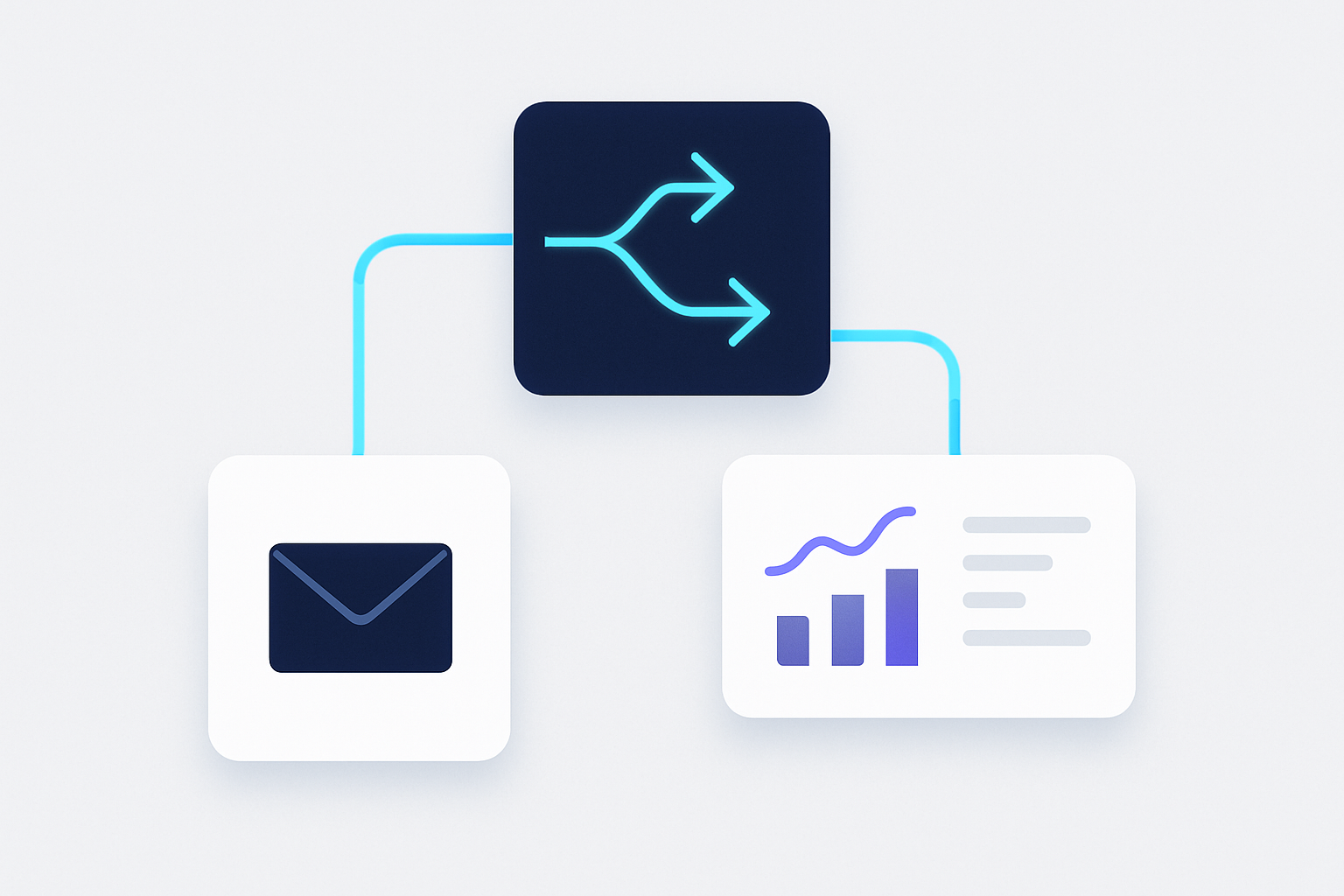
This section outlines ActiveCampaign’s core marketing capabilities, grouped by function, with practical notes to help buyers assess fit and implementation effort.
Active Intelligence
ActiveCampaign includes AI-assisted features intended to streamline campaign creation and content generation. The AI workspace can surface suggested segments, offer content prompts, and provide tools for follow-up workflows; some users may also see image-generation and brand-asset utilities depending on plan and feature rollouts. These tools are designed to reduce manual effort and surface data-driven recommendations, but teams should plan for a learning curve and validate AI outputs against their brand and goals.
Marketing Automation
ActiveCampaign provides a visual, drag-and-drop automation builder for designing multi-step customer journeys across channels. The platform offers many prebuilt automation recipes to jumpstart common flows like lead nurturing and retention sequences. Automation complexity and available actions vary by plan, so teams should test and iterate on workflows and confirm plan limits and capabilities before committing to large-scale automation.
Email Marketing
The platform includes a visual email designer with template libraries and features to schedule sends, trigger campaigns from RSS or dates, and check messages for deliverability issues. Reporting surfaces open and click metrics and engagement trends to inform optimization. To get the best results, teams should use segmentation and A/B testing and follow deliverability best practices (list hygiene, authentication, and content quality).
WhatsApp Messaging
WhatsApp support brings conversational messaging into ActiveCampaign’s inbox and automation workflows, allowing businesses to receive and reply to customers via that channel and to use templates, triggers, and segmentation in messaging flows. Organizations should consider privacy, opt-in requirements, and platform-specific compliance when using WhatsApp for customer communication.
SMS Marketing
ActiveCampaign offers SMS composition, scheduling, and reporting features to support time-sensitive, personalized messages. SMS campaigns can improve immediacy of outreach, but they also involve per-message costs and strict consent and regulatory requirements; teams should plan for compliance and budget accordingly.
App Integrations
ActiveCampaign exposes a library of integrations and connectors to link with common tools across analytics, ecommerce, and AI toolchains. Some AI model integrations may be available via connectors or partner integrations rather than native endpoints. When evaluating integrations, consider whether the connection will meet your data, security, and workflow requirements and whether additional middleware or configuration will be needed.
Segmentation & Personalization
Segmentation is a core capability, enabling conditional content, personalization fields, and the use of custom objects to store business-specific data for tailored messaging. The depth of segmentation features can depend on plan level and data model setup. Effective personalization requires good data hygiene and governance to ensure segments reflect accurate customer attributes.
Predictive & Analytics Tools
The platform includes predictive features—such as send-time suggestions—and reporting tools for attribution and conversion tracking to help measure campaign performance. These analytics features can support decision-making, but teams should expect to invest time in interpreting results and integrating insights into broader marketing strategy.
Integrations Ecosystem
ActiveCampaign supports APIs and webhooks for custom integrations and maintains connections with common ecommerce platforms, CRMs, and ad networks. The integrations dashboard centralizes management and configuration. Evaluate the technical effort required for setup and maintenance, and plan for monitoring data flows to avoid silos or synchronization issues.
In summary, ActiveCampaign provides a broad set of automation, email, messaging, AI-assisted, and integration capabilities. The platform can serve a wide range of marketing use cases, but prospective buyers should map required features to plan tiers, assess internal technical and data maturity, and allocate time for testing and training to ensure successful adoption.
Pricing & Plans
ActiveCampaign uses a tiered, contact-based pricing approach intended to scale with different business sizes and needs. Pricing depends on factors such as the number of contacts you manage and any optional add-ons, and businesses can contact sales for custom quotes that reflect their specific requirements.
Free Trial and Money-Back Guarantee
ActiveCampaign offers a trial period and a refund option for some purchases. The exact length of the trial and the terms of any money-back guarantee can vary, so prospective users should review the current terms on ActiveCampaign’s site or contact support for up-to-date details before signing up.
Plan Structure
Pricing is primarily driven by contact volume, and higher tiers typically unlock additional features and higher usage limits. Commonly available plan levels are organized roughly as follows:
- Starter: Entry-level plan aimed at small teams or businesses beginning with email marketing and basic automation. It generally includes core email and automation features but may have limits on advanced segmentation and automation capacity.
- Plus: Geared toward growing teams, this level typically adds more CRM functionality, extra user seats, and enhanced marketing capabilities compared with the entry tier.
- Professional: Designed for organizations with more sophisticated automation needs; this tier often includes advanced automation tools, higher user allowances, and more robust reporting or onboarding options.
- Enterprise: Intended for larger organizations or customers with bespoke requirements; Enterprise plans commonly provide enterprise-grade features such as single sign-on, dedicated account resources, and priority support, depending on the contract.
Features and limits vary by plan and may change over time, so verify specifics for the plan you’re considering.
Add-Ons and Integrations
ActiveCampaign offers optional add-ons that extend functionality, including enhanced CRM features (like pipelines and sales engagement tools), additional messaging channels (for example, SMS and transactional email), and a range of integrations with ecommerce and CRM platforms. Some integrations and messaging capabilities may require higher-tier plans or separate fees; confirm whether integrations are native or require third-party connectors.
Service Levels and User Limits
Plan tiers differ in support level, onboarding options, user seats, and sending allowances. Higher tiers generally include more user seats, higher email/send limits, and faster or more comprehensive support. Exact user limits, send caps, and support SLAs depend on the plan and contract, so check the current plan details or discuss needs with sales.
Customization and Flexibility
ActiveCampaign’s pricing model is intended to be flexible: businesses can scale by contact count and add optional features as needed, and sales teams can provide tailored quotes for specific use cases. For accurate pricing that aligns with your contact list size and business goals, request a quote or review the provider’s published plan information.
In summary, ActiveCampaign’s pricing is contact-driven and tiered, with optional add-ons and the ability to request custom quotes. Review current terms for trial and refund policies and confirm plan limits and included services before committing.
Pros & Cons
ActiveCampaign is a comprehensive marketing automation and email platform with a wide range of capabilities. Below is a balanced look at strengths and weaknesses based on common product positioning and user feedback.
Pros
-
Automated, goal-oriented AI features (Active Intelligence)
ActiveCampaign markets AI-driven tooling under the Active Intelligence name to help automate campaign tasks and surface insights. These features can speed up routine work and support more goal-driven campaign setup, though outputs typically benefit from human review and context. -
Large integration ecosystem
The platform connects with a broad set of third-party tools — including ecommerce platforms, CRMs, and AI services — enabling data flow across a marketing stack. Integrations may be provided natively or via connectors depending on the partner. -
Free trial option without upfront payment
ActiveCampaign generally offers a free trial period that does not require a credit card, enabling prospective users to test core functionality before committing financially. -
Money-back guarantee for new customers
The company provides a time-limited money-back option for eligible new customers, which can reduce the perceived risk of trying the platform. -
Comprehensive feature set across email, automation, AI, and analytics
The product combines email marketing, automation workflows, analytics, and AI-assisted capabilities in one platform, which may suit teams looking to consolidate tools. -
Cross-channel messaging via add-ons
The platform supports additional channels — such as SMS, messaging apps, and transactional email — through optional add-ons, allowing for more diversified customer engagement. -
Higher tiers reduce automation restrictions
Plans above the entry level typically remove or relax limits on automation actions, making it easier to build complex, multistep workflows on mid-to-high tiers.
Cons
-
Pricing can be customized and may require sales contact
Pricing and packaging are often tailored to account size and feature needs; prospective buyers may need to contact sales to get a quote, which can slow straightforward comparisons. -
Advanced CRM and sales features often require add-ons
While basic CRM functionality is included, more advanced sales engagement and CRM features are commonly available only as paid add-ons, increasing total cost for full-featured use. -
Entry-tier plan limitations
The lowest-cost plan typically has constraints on segmentation, automation complexity, and other advanced features, which can push growing teams to upgrade sooner than they expect. -
Feature access is tiered
Certain capabilities — including some AI-powered insights and preview features — are gated by plan level, so smaller teams on lower tiers may not have access to the full feature set. -
Mixed user feedback on AI notifications
Some users report that AI-driven alerts or insights can be alarmist or require interpretation; these outputs are a useful signal but often need contextual validation. -
Enterprise-only controls and support features
Enterprise-focused features such as Single Sign-On (SSO) and a dedicated account team are generally reserved for top-tier customers, which may limit options for mid-market buyers that need those controls.
In short, ActiveCampaign offers a wide functionality set and strong integration options, but buyers should evaluate plan limits, potential add-on costs, and how AI outputs will fit into their decision-making processes.
Integrations & Ecosystem
ActiveCampaign provides a broad integrations ecosystem that connects the platform with many third-party tools to extend its marketing automation and CRM capabilities. Rather than relying on a single monolithic solution, teams can link ActiveCampaign to a range of systems—CRM, ecommerce, advertising, analytics, AI services, and data platforms—so it can fit into a variety of existing tech stacks depending on needs and plan level.
Key Integration Categories
-
CRM Integrations: ActiveCampaign connects with well-known CRM platforms, enabling synchronization of contact and deal data to help align marketing and sales workflows. These integrations can reduce manual data entry, support automated follow-ups, and make it easier to use CRM signals for segmentation and personalization.
-
Ecommerce Platforms: The platform integrates with common ecommerce systems such as Shopify, WooCommerce, and Magento. These connections are typically used to trigger marketing automations from ecommerce events (for example, cart abandonment or completed purchases), enabling targeted emails, SMS, or ad audience updates based on customer behavior.
-
Advertising and Analytics: ActiveCampaign can be linked to advertising platforms and analytics tools to help coordinate messaging and measurement across channels. By connecting ad accounts and analytics services, teams can better align campaigns, create targeted audiences from contact lists, and track performance to inform optimization.
-
AI and Automation Tools: The platform can work with external AI and automation services—often via connectors or APIs—to assist with tasks like content generation and message personalization. Depending on how integrations are configured, these AI workflows can be used to accelerate campaign creation or enhance personalization, though implementation details vary by connector and provider.
-
Lead Generation and Data Warehousing: Integrations for lead capture tools and data warehouses allow businesses to centralize leads and related data, which can simplify reporting and enable more consistent lead nurturing across channels.
Custom Integrations and Development
For organizations with specific requirements, ActiveCampaign supports custom integration options:
-
API and Webhooks: The public API and webhook support let developers build bespoke integrations and automate data exchange in near real time. These tools are commonly used when native integrations don’t cover a particular workflow or when deeper data synchronization is required.
-
Low-code/Developer Tools: ActiveCampaign provides environments aimed at simplifying custom app and integration development. These tools can reduce the amount of hand-coding required, though projects with complex logic or high security requirements may still need developer involvement.
AI Campaign Builder
ActiveCampaign includes AI-powered features that can assist with campaign creation and may surface recommended integrations based on a user’s goals and connected services. Such features are intended to help identify useful connections and streamline setup, but the recommendations and outcomes will depend on the specific configuration and available connectors.
Simplified Integration Processes
Many of ActiveCampaign’s native integrations are designed to be straightforward to configure—often involving API keys or OAuth flows—and the platform also supports third‑party connector services like Zapier for no-code or low-code automation. The ease of setup and the level of technical expertise required will vary by integration and desired depth of data synchronization.
Conclusion
ActiveCampaign’s integrations ecosystem is built to help businesses connect marketing automation with other parts of their stack. Whether through native integrations, API/webhook development, low-code tools, or connector platforms, teams can usually find ways to unify data and coordinate cross-channel marketing—though the exact fit will depend on the specific tools, workflows, and technical resources available.
Onboarding, UX & Support
ActiveCampaign provides a structured onboarding and support ecosystem intended to serve a range of users, from small businesses to larger teams. The platform aims for an intuitive user experience, but new users—especially those unfamiliar with marketing automation—may encounter a learning curve. This section outlines the setup process, interface clarity, learning resources, and support options.
Initial Setup and Onboarding
Setup is generally guided and approachable for users with some familiarity with marketing automation or CRM tools. ActiveCampaign includes a step‑by‑step onboarding flow that walks through common initial tasks such as domain/email setup, contact import, and building basic automations. For teams that want more guidance, the vendor publishes onboarding materials including guides and webinars.
The complexity of setup depends on business needs. Organizations integrating multiple third‑party apps or custom data sources can expect a more involved process. ActiveCampaign supports many third‑party integrations through native connectors and common automation platforms (for example, Zapier and similar services), which can simplify connections in most cases. Typically, integrations require authentication or an API key.
User Interface and Experience
The interface emphasizes organization and functionality, with distinct areas for automations, CRM, email campaigns, and reporting. Visual tools—such as a drag‑and‑drop editor for emails and a visual automation builder—help users design and adjust workflows without heavy technical work. That said, the breadth of features can feel overwhelming at first; users moving from simpler email tools may need time to explore workflows and settings.
ActiveCampaign mitigates this with a searchable Help Center and contextual tips within the product to guide common tasks.
Tutorials and Documentation
Documentation is extensive and includes written articles, how‑to guides, and video tutorials covering a wide range of topics. The Help Center is organized around core areas such as automation, CRM, email and SMS messaging, integrations, reporting, and website tools. In addition to on‑demand content, ActiveCampaign regularly runs webinars and periodic live training sessions that allow attendees to ask questions and see demonstrations. Community forums also provide a space for peer support and experience‑sharing.
Support Channels
Support features vary by subscription tier. Higher‑tier plans commonly include faster response times and access to priority or more direct support options, while lower‑tier plans typically receive standard support channels. Available support channels usually include email and live chat; phone support may be available on certain plans or for specific account types. For many users, chat can resolve common issues quickly, while more complex needs may require escalated support or consulting.
Localized Support for Multi-location Brands
ActiveCampaign includes features that help with localized personalization and targeting, which can be useful for brands operating across multiple regions or franchises. These capabilities let teams tailor messaging and automations for different markets, though implementing complex, multi‑location programs can require careful setup and management.
Conclusion
Overall, ActiveCampaign combines a feature‑rich interface with a substantial library of instructional resources and tiered support options. New users should expect an initial learning period, particularly when adopting advanced automation or multi‑location setups, but available documentation, webinars, and support channels can help teams get up to speed and scale their use of the platform.
Limitations & Gotchas
ActiveCampaign provides a broad set of marketing automation and CRM features, but there are practical constraints and plan-based tradeoffs buyers should consider. Many of these become apparent only after deeper use, and their impact varies depending on team size, technical skill, and campaign complexity.
Pricing Transparency
Pricing is often customized and can require conversations with sales to get a quote tailored to your list size and required features. For organizations that prefer clearly advertised, turnkey pricing, this approach can feel less transparent and add friction to the evaluation process.
Trial and Plan Limitations
A trial is available to evaluate the platform without an immediate credit-card commitment, but trials may not expose every capability. Features gated behind paid tiers or add-ons can be difficult to test fully during a limited trial period, so expect some functionality to remain inaccessible until you engage with a paid plan.
Feature Restrictions by Plan
Functionality is tiered, and lower plans restrict advanced segmentation, automation complexity, and other capabilities. Teams that rely on complex, multi-step automations or sophisticated segmentation should verify which features are included at each level before committing, since some capabilities are reserved for higher tiers.
Add-ons and Integration Costs
Several CRM and sales-oriented features are offered as add-ons or are included only on higher plans. Similarly, certain integrations—particularly premium CRM or ecommerce connectors—may require an upgraded plan. These factors can increase total cost of ownership compared with the headline plan price.
User and Email Send Limits
Plans include limits on user seats and on email sending relative to contact count. As organizations grow or run larger campaigns, they may find themselves needing to upgrade to accommodate more users or higher send volumes. Check the plan documentation or sales representative for how seats and sends scale with each tier.
AI and Automation Concerns
ActiveCampaign includes AI-driven features and analytics; some users report that AI-generated insights can be framed in ways that seem alarmist or require interpretation. Additionally, access to certain AI features and preview tools can depend on plan level, which may limit how much of the AI functionality you can use without upgrading.
Community and Support Issues
Community forums and support channels are useful resources, but some users have reported intermittent issues—such as problems with media uploads or workflow-specific edge cases—when seeking help or sharing assets. Support responsiveness and access to a dedicated account resource may vary by plan.
Conclusion
ActiveCampaign can serve a wide range of marketing and CRM needs, but its tiered structure, add-ons, and sales-driven pricing model mean buyers should map required features to specific plans before deciding. Use the trial to validate key workflows, ask sales about any needed add-ons, and review support options to ensure the platform aligns with your operational needs and budget.
How It Compares to Key Alternatives
ActiveCampaign is a widely used option in the marketing automation and email marketing plus CRM space. When comparing it to other tools in this category, buyers typically evaluate criteria such as pricing approach, ease of use, governance and security, integrations, learning curve, and the profile of teams that will get the most value.
Pricing Model
ActiveCampaign typically uses a tiered and/or customizable pricing approach intended to accommodate a range of business sizes and needs. This can make it possible to align plan features and capacity with specific requirements, but it also means that exact costs may depend on factors such as contact counts and selected add‑ons. Organizations that prefer fully transparent, fixed-price plans may find this approach less convenient for upfront budgeting. Trial options and money‑back policies may be available; check current terms when evaluating cost and risk.
Ease of Use
The product is built around visual builders for email and automation, and many users find the interface approachable for common tasks. Those with prior experience in drag‑and‑drop editors and automation workflows often adopt features quickly. At the same time, the platform includes deeper capabilities that can increase complexity; teams that need only basic email sends may experience a steeper ramp to reach advanced functionality.
Governance
The platform offers user management and permission controls intended to support multi‑user teams and data governance. Advanced security and account management features—such as enterprise‑grade single sign‑on or dedicated account resources—are generally available but may be gated behind higher tiers or add‑ons. Organizations with strict compliance or role separation needs should verify which governance controls are included at each plan level.
Integrations
ActiveCampaign provides an ecosystem of integrations designed to connect with ecommerce systems, CRM tools, analytics platforms, and third‑party automation tools. This breadth can help unify marketing and sales workflows, for example by syncing customer activity or triggering automated follow‑ups. As with any platform, teams should confirm that critical integrations are supported natively or via connectors and test how data flows between systems.
Learning Curve
Because the product combines email, automation, and CRM features, implementation and setup can require time and planning—especially for organizations without dedicated marketing automation or technical staff. The vendor supplies documentation, tutorials, and support resources to assist onboarding, but teams should budget for initial configuration, list hygiene, and automation testing to achieve reliable results.
Best-Fit Profile
ActiveCampaign is often a good fit for teams that need a single platform to handle email marketing, multi‑step automation, and light CRM-style contact management. Typical beneficiaries include marketing and sales teams, ecommerce operations, and agencies that manage multiple campaigns and workflows. Conversely, organizations that prioritize the simplest possible email tool or require fully transparent, low-complexity pricing might prefer more narrowly focused or fixed‑price alternatives. Smaller teams with minimal marketing resources should weigh the value of advanced features against the time and cost needed to use them effectively.
In sum, ActiveCampaign competes well where flexibility, integrations, and combined automation/CRM capabilities matter. Prospective buyers should map required features, integration needs, and governance expectations to available plan levels to determine the best fit.
Best Practices & Tips
Getting the most from ActiveCampaign means aligning its features with a clear strategy and ongoing measurement. Below are practical practices and cautions to help teams use the platform effectively.
- Build optimized email campaigns
- Use the drag-and-drop email designer and prebuilt templates to speed up production; customize templates so they reflect your brand voice and layout standards.
- Run A/B tests on subject lines, preview text, and content blocks to learn what improves opens and engagement for your audience.
-
Take advantage of any AI-assisted content suggestions available in the editor to iterate faster, but always review generated copy for brand fit and accuracy.
-
Personalized SMS marketing
- Personalize SMS messages using your customer data and triggers so messages are timely and relevant.
-
Schedule sends and consider recipient time zones and behavior when choosing delivery windows; platform analytics can help identify better send times.
-
WhatsApp and conversational channels
- Use WhatsApp and other conversational messaging where available to handle common questions, send updates, and support customers through automated flows.
-
Keep automation conversational and personalize with conditional content and fields to avoid robotic-sounding messages.
-
Connect your marketing stack
- Integrate with other apps and services to centralize customer data and reduce duplicated workflows; the platform supports many native integrations and works with integration platforms and APIs for additional connections.
-
Teams often augment capabilities with third-party AI tools or models via connectors or APIs; confirm the integration method and any data-sharing implications before connecting.
-
Automated email campaigns
- Map multi-step automations to real customer journeys and use templates to accelerate setup.
-
Periodically audit and update automation sequences to reflect changes in goals, messaging, and customer behavior.
-
Cross-channel coordination
- Coordinate messaging across email, SMS, and conversational channels to maintain consistent voice and timing.
-
Consider add-ons or integrated channel features to manage multi-channel campaigns without maintaining separate, siloed systems.
-
Ecommerce lifecycle marketing
- Use ecommerce integrations to automate lifecycle touches such as abandoned-cart reminders and product recommendations.
-
Some lifecycle automations (e.g., browse-abandonment flows) may depend on your ecommerce platform, plan level, or regional availability—verify current feature availability with the vendor.
-
Sales pipeline and engagement
- Extend CRM workflows with features like pipelines, deal stages, and lead scoring to help prioritize and track prospects.
-
Automate one-to-one follow-ups where appropriate to maintain timely, personalized contact without adding manual work.
-
Marketing automation and AI-driven options
- Use automation to run repeatable processes, and explore AI-driven suggestions or automation builders where offered to speed campaign creation. Evaluate AI output and monitor performance rather than relying on it uncritically.
-
Maintain a cadence for reviewing automation "recipes" or templates so they stay aligned with business priorities.
-
Integration and API usage
- Use the platform API to build custom integrations or embed functionality in other systems when needed.
-
For quicker connectivity, leverage the platform’s native integrations or popular integration services—understand authentication and data access requirements before implementation.
-
Use the Help Center and documentation
- Consult the vendor’s Help Center and documentation for guides on Automations, CRM, Email, SMS, conversational channels, website tools, reporting, and integrations. These resources are useful for setup, troubleshooting, and best-practice guidance.
Following these practices helps reduce common implementation mistakes and makes it easier to measure the impact of campaigns. Always validate feature availability and limits against your chosen plan and test automations in a safe environment before going live.
Pricing Details & Plan Overview
ActiveCampaign uses a tiered pricing model intended to accommodate a range of business sizes and needs. Plans are commonly labeled Starter, Plus, Professional, and Enterprise, with higher tiers generally adding more advanced automation, CRM capabilities, analytics, and account-level controls. Pricing typically scales with the number of contacts and the selected feature set, and support levels tend to become more comprehensive on higher plans. The vendor also usually offers a trial period so prospective users can test the platform before committing.
| Plan Tier | Typical Scale / Fit | Key Features (typical) | Support (typical) | Add-ons / Integrations (examples) |
|---|---|---|---|---|
| Starter | Small teams or simple use cases | Basic email marketing and entry-level automation | Standard support | Email deliverability tools, basic integrations |
| Plus | Growing teams | More automation, introductory CRM functionality | Enhanced support | SMS/messaging integrations, advanced integrations |
| Professional | Scaling marketing & sales teams | Advanced automation, expanded CRM and analytics | Priority or faster support | E‑commerce connectors, predictive features, deeper integrations |
| Enterprise | Large orgs or custom needs | Full feature set, account-level controls | Dedicated/enterprise support | SSO, custom reporting, dedicated services, API/integration options |
Notes:
- Exact feature sets, support terms, and available add-ons vary by plan and are subject to change.
- Pricing is typically determined by contact volume and selected options.
- For the most current plan details and pricing, consult ActiveCampaign’s official pricing page.
FAQ
Is there a free trial?
ActiveCampaign typically offers a free trial so prospective users can explore the product before committing. Trial length and whether a credit card is required can vary, so check the vendor’s current sign-up terms for exact details.
Do you offer a money-back guarantee?
ActiveCampaign has offered refund or money-back windows in the past, but specific eligibility, duration, and conditions can change. Review the current refund policy or contact sales/support for up-to-date details.
What channels does ActiveCampaign support?
ActiveCampaign supports multiple customer communication channels commonly used in marketing and CRM workflows, such as email, SMS, and messaging integrations. These channels are exposed through the platform’s automation and CRM features to enable cross-channel campaigns.
How many integrations are available?
ActiveCampaign provides a large library of integrations and connectors, often counted in the hundreds to thousands. The platform can be connected to a broad range of apps, including AI and chatbot services via native or connector-based integrations.
What plans does ActiveCampaign offer?
ActiveCampaign is offered in tiered plans intended for different business sizes and needs. Tier names and included features vary by vendor updates; check the pricing page or talk to sales to see the current plan structure and which features are included at each level.
Which add-ons are available?
ActiveCampaign supports a variety of optional add-ons to extend core functionality. Typical examples include enhanced CRM tools (pipelines and sales engagement), SMS and messaging channels, transactional email capabilities, and AI-powered features. Availability depends on plan and region.
Do plans include AI features?
ActiveCampaign markets AI capabilities (often grouped under names like Active Intelligence). These features are generally available across plans, but access level and usage limits typically differ by tier. Confirm specific AI features and quotas for the plan you’re considering.
Does ActiveCampaign support ecommerce and CRM integrations?
Yes—ActiveCampaign can integrate with ecommerce platforms and other CRM systems. The set of available connectors and any premium integrations may depend on plan level and implementation choices.
What are automations in ActiveCampaign?
Automations are configurable sequences of actions that run in response to triggers or schedules. They’re commonly used for lead nurturing, post-purchase follow-ups, and other lifecycle communications to reduce manual work and keep messaging consistent.
How does contact management work in ActiveCampaign?
Contact management involves importing and organizing contacts, segmenting them for targeted messaging, and maintaining list hygiene. The platform provides tools for tagging, segmentation, and list management to help tailor communications.
What is the difference between automations, campaigns, transactional emails, and 1:1 emails?
- Automations: automated sequences of actions triggered by conditions or events.
- Campaigns: bulk or scheduled marketing emails sent to a segment or list.
- Transactional emails: system-triggered messages tied to user actions (e.g., order confirmations).
- 1:1 emails: single, individualized messages sent directly to a contact, often for personal outreach.
How do I enable double opt-in for a form?
Double opt-in is typically enabled by configuring the form to add subscribers to a list and turning on the double opt-in/confirmation option in form or list settings. The exact UI steps can vary, so consult the current documentation or help guides.
How can I use ActiveCampaign integrations to improve reporting and analytics?
Integrations can export or sync contact, deal, and campaign data to reporting tools or storage platforms (examples include Google Sheets, Looker Studio, BigQuery, and similar services). This enables live reporting, custom dashboards, and deeper analysis when combined with external analytics tools.
Do I need technical skills to set up integrations?
Most common integrations can be set up without coding using native connectors, marketplace apps, or automation platforms (e.g., Zapier-style services). For advanced or highly customized workflows, the API, app development tools, and webhooks are available for developers.
Can I migrate my existing integrations from my current tool?
ActiveCampaign supports migration of common assets such as contact lists and automations, and their onboarding resources can help with the process. The ease of migration depends on the source platform and the complexity of your automations and integrations.
How do integrations enable cross-channel marketing?
Integrations help create a unified view of customers and allow automations to trigger actions across connected apps. This makes it possible to coordinate email, SMS, messaging, and ad campaigns from a single workflow, improving consistency and reach across channels.

Conclusion
ActiveCampaign is a full-featured marketing automation platform that combines email marketing, automation workflows, and CRM capabilities. Its set of AI-assisted features and automation tools can help teams reduce manual work and make campaigns more data-driven, while a broad integrations ecosystem lets organizations connect the platform to many common third-party tools.
The platform can work well for a range of users — marketers, sales teams, ecommerce operators, agencies, and technical teams — but the best fit depends on your needs and resources. Smaller teams with simple requirements may find some features unnecessary, whereas organizations with more complex customer journeys can likely benefit from the platform’s depth and customization options. Developers and technically oriented teams will typically make more use of the API and automation extensibility.
There are a few practical considerations to weigh. Pricing and plan details are not always fully visible without contacting sales for certain tiers, which may be a drawback for buyers seeking immediate pricing transparency. A free trial option is offered, but it generally requires signing up with an email. The platform’s many features and customization choices can introduce a learning curve; teams with limited technical capacity may need to allocate time for training or outside help to get the most value.
ActiveCampaign’s CRM features support creating customer profiles and tracking multi-channel interactions, which can help align marketing and sales activities. To realize that value, organizations should maintain good data management practices and review privacy and compliance requirements relevant to their markets.
In short, ActiveCampaign is a comprehensive option for teams looking to centralize marketing automation and CRM functionality. Evaluate whether you will use the breadth of features offered, assess your team’s technical readiness, and consider pricing transparency needs before deciding. For more on how ActiveCampaign compares to other products, see our comparison articles and best-of lists.