

Summary
Adobe Express is a web- and app-based design tool from Adobe positioned alongside its broader creative product lineup. It targets a range of users — from individuals and small businesses to educators and institutions — with plan options aimed at different use cases and team sizes. Details and eligibility for those plans vary, so prospective users should review Adobe’s product pages for the latest offerings.
The product focuses on fast, template-driven content creation: layouts, social assets, simple photo and video edits, and shareable documents. It includes AI-assisted features and workflow shortcuts that can help speed up routine tasks and provide creative suggestions. Those capabilities can increase productivity for creators who need to produce content quickly, though Adobe Express is generally intended as a lighter-weight tool rather than a replacement for Adobe’s professional apps for advanced photo, design, or video production.
For business users, the app can support marketing and communications workflows that prioritize rapid asset creation and consistency across channels. It also offers document creation and export features; for more advanced PDF editing or enterprise document workflows, Adobe’s Acrobat and other specialized tools are typically used.
Pricing is presented across multiple plan types and may include individual, business, and education options. Exact pricing and feature sets change over time, so check Adobe’s official site or contact Adobe sales/support for current details and licensing guidance.
Overall, Adobe Express is most useful for people who want a streamlined, template-forward tool that ties into Adobe’s ecosystem — especially those who prioritize speed and ease of use over the deep, professional-level controls found in Adobe’s flagship creative applications.

Product Overview & Key Takeaways
Adobe Express is a creative tool offered within the Adobe Creative Cloud ecosystem that combines design, photo, video and AI-assisted features into a single product offering. It aims to serve a wide range of users — from individual creators and small teams to larger organisations and educational settings — by grouping common creative workflows (templates, simple editing, and AI-assisted generation) in a single interface.
The product is positioned to support several user types. Creative and content-focused professionals can use it for rapid design and basic photo/video tasks; business users may find value in its document- and asset-focused features, including PDF editing and template-driven brand communications; and educators and students can use it as a learning and project tool. Adobe publishes plan options for different audiences (individuals, business, and education) so organisations and users can choose a package that matches scope and administrative needs.
Key takeaways
-
Comprehensive toolset: Adobe Express bundles tools for basic design, photo and video editing alongside AI-assisted features intended to speed routine tasks and content generation.
-
Broad audience fit: The product targets individuals, creative professionals, business users, and educational organisations, with plan options aimed at those different groups.
-
Plan flexibility: Adobe lists different Creative Cloud plan options for distinct audiences; specific features and limits vary by plan and should be reviewed on Adobe’s site to match needs and budget.
-
Productivity features: The app includes template libraries, asset management and document-related capabilities (including PDF editing) that support common business and marketing workflows.
-
Help and support: Users can access documentation and community resources; enterprise customers typically have additional support and administrative options available.
Overall, Adobe Express is intended as a multi-purpose creative tool within Adobe’s portfolio that emphasizes ease of use and accessibility for a range of use cases. Prospective users should compare feature sets and plan details against their specific workflows before committing.
- Ease of use7.0
- Automation depth6.5
- Integrations6.0
- Pricing value6.0
- Support docs8.0
Verdict at a Glance
Adobe Express is a versatile creative and document tool that tends to work best for users who already use Adobe products or who need closer integration with Adobe workflows. It is commonly adopted by individual creators, marketing and business teams, and educational institutions that value a single environment for simple design, image, video and document tasks.
Strengths include a broad set of templates and apps for design, photo and short-form video work, plus integrated tools for creating and editing documents and PDFs. The product also includes AI-assisted features that can help streamline repetitive tasks and speed content iteration, which many users find useful for producing polished output more quickly.
Where Adobe Express may be less appropriate depends on scale and budget. Organizations already invested in Adobe Creative Cloud are likely to gain the most value from tighter integration; conversely, teams with minimal Adobe usage or those seeking a lightweight, low-cost tool may find the offering more than they need. There can also be a learning curve for users unfamiliar with Adobe’s interface and workflows, and some customers consider total cost and plan fit before committing.
Overall, Adobe Express is a practical option for users wanting a single, Adobe-aligned solution for basic to moderately complex creative and document tasks. Prospective adopters should weigh integration benefits against cost, feature needs, and how the tool would fit into existing processes.

Core Use Cases & Who It’s For
Adobe Express is part of Adobe’s broader product portfolio and focuses on quick design and content-creation workflows. Below are the common scenarios where users typically turn to the tool, and situations where alternative solutions may be more appropriate.
Best for
Creative Production
Well-suited for individuals and teams that produce visual content—graphic designers, photographers, social media creators, and marketers who need a fast way to assemble polished assets. Adobe Express provides templates, design tools, asset libraries, and some AI-assisted features that can help speed repetitive tasks and iteration. Users already working with other Adobe apps can often streamline workflows through integrations and shared assets.
Document Workflows
Useful for business users who need to create branded documents, basic PDF edits, or visual reports and presentations. Its design-oriented features make it practical for producing shareable, polished documents. Integration with other Adobe tools and common file formats can help maintain consistency across assets and simplify handoffs between contributors.
Fast Content Creation
Aimed at creators and small teams that need to produce social images, simple videos, marketing banners, and other short-form content quickly. The combination of templates, quick-edit tools, and guided workflows makes it easier to produce and iterate on content without a steep learning curve—helpful for social managers, small-business owners, and content marketers.
Contact Support
Adobe Express users have access to product help articles, tutorials, and community forums. Paid or enterprise customers typically have access to additional support options. For more complex integrations or automations, users can connect Adobe Express with other tools via native and third‑party integrations (e.g., Zapier/Make).
Not Ideal If
Limited Budget Constraints
Organizations or individuals with very tight budgets should compare the value of Adobe Express against simpler or free alternatives. Depending on feature needs and team size, lighter-weight tools or single-purpose editors may be more cost-effective.
Non-Creative Industries
Teams whose primary workflows are not design- or content-focused (for example, certain manufacturing or logistics roles) may find limited overlap between Adobe Express’s strengths and their day-to-day needs. In those cases, industry-specific tools may be a better fit.
Simple Document Editing Needs
If your requirements are limited to basic PDF edits or simple annotations, Adobe Express may offer more functionality than necessary. Standalone PDF editors or lightweight document tools can be simpler and faster for minimal editing tasks.
Conclusion
Adobe Express is oriented toward fast visual content creation and light document design, making it a practical choice for creators, marketers, and teams that value quick, branded output and integration with Adobe workflows. Organizations should weigh those strengths against budget considerations and whether their core work truly benefits from a design-focused tool.
Features & Capabilities
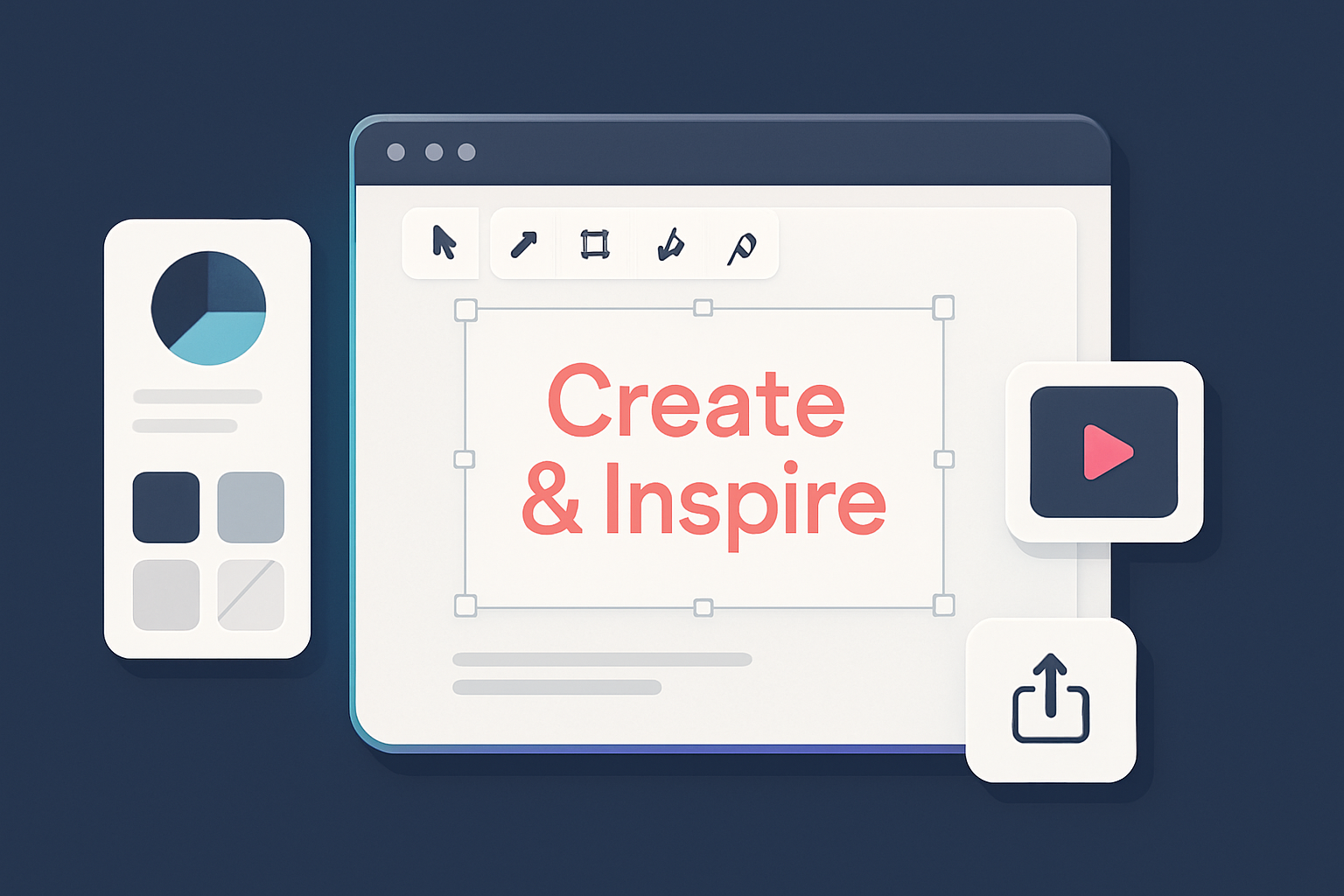
Adobe Express is positioned as a multipurpose design and content platform within the Adobe ecosystem. Below is a focused look at the product’s primary capabilities and the kinds of workflows it typically supports.
Industry-leading Creative Apps
Adobe Express provides a set of creative tools for layout, image, and short-form video work. The interface groups common design features — templates, typography controls, and image tools — to help users assemble graphics and simple layouts without switching to more specialized Adobe apps. While it does not replace full-featured desktop tools, it is intended to support fast, web-first creative tasks.
PDF Editing
The platform includes PDF-related functionality such as basic editing and conversion workflows that can be useful for light document work. These tools are integrated into the web experience so users can perform simple edits and format changes without leaving the interface. For more advanced or compliance-sensitive PDF workflows, users may still rely on dedicated PDF applications.
Polished Document Creation
Templates and prebuilt design elements are a core part of the experience, aimed at speeding the creation of marketing assets, proposals, social posts, and educational materials. The editor emphasizes drag-and-drop assembly and live previews, which helps users produce consistent, polished-looking documents without extensive design experience.
Creative AI
Adobe Express includes AI-assisted features to accelerate routine tasks. Examples commonly available in this class of tools include automated image enhancements, intelligent cropping, and object-aware adjustments. These features are intended to reduce repetitive editing work, though results can vary depending on the source material and user goals.
Easy-to-use Editing
The editing environment balances simplified controls for novices with enough depth for frequent users. Core tools such as cropping, resizing, color adjustments, and layering are surfaced through a streamlined toolbar and contextual menus to keep common actions accessible.
Support Hub
A centralized support area offers documentation, tutorials, and community resources to help users learn the product and troubleshoot issues. The hub typically links to help articles, how-to guides, and community forums where users can seek advice or explore workflows.
Enterprise and Business Support
For larger organizations, Adobe provides business-oriented support pathways designed to help with adoption, deployment, and training. These services commonly include options for account management and priority support, and are intended to assist with integrating the platform into broader team workflows.
Sales Phone Support
Sales and purchasing assistance is available through Adobe’s published channels, including phone contact for prospective buyers who need information on licensing and deployment options. Availability and response pathways vary by region and account type.
Security Center
Adobe publishes security and trust resources for its products, which typically include advisories, guidance for reporting issues, and documentation about security practices. These resources are intended to help organizations assess and manage risk when using the platform.
Office Locations
Information about Adobe’s corporate presence and office locations is publicly available for users who need company contact or regional support details.
In summary, Adobe Express focuses on quick, web-first content creation with a toolbox of templates, editing features, and some AI-assisted helpers. It is suited to users who need fast, consistent visual assets and basic document workflows, while teams with advanced or highly specialized requirements may still pair it with other Adobe products or dedicated tools.
Pricing & Plans
Adobe Express is offered through Adobe's broader Creative Cloud offerings with tiered options intended for different user groups, including individuals, businesses, students and teachers, and educational institutions. The company presents these audience segments separately on its website to help users find relevant options.
Plan Segmentation
Adobe presents pricing and enrollment options organized by audience. Common categories shown on the site include:
-
Individuals: Targeted at solo users such as independent creators and freelancers. Individual options generally provide access to the product's standard feature set and are intended for single-seat use.
-
Business: Aimed at small and medium teams, these options typically include multi-license management and administrative controls useful for team workflows and provisioning.
-
Students and Teachers: Discounted or specialized offerings intended to increase access for learners and educators; these plans are usually priced more affordably than standard commercial options.
-
Schools and Universities: Designed for institution-wide purchase and deployment, with licensing and provisioning options meant to scale across departments and large user counts.
Features Across Plans
Feature availability varies by plan. Most paid options generally include core design, photo, video, and creative AI capabilities found in Adobe Express, while business- and institution-focused plans often add administrative features, enhanced security controls, and support options. Exact feature sets and limits depend on the selected plan and current product packaging.
Additional Considerations
-
Learn more resources: Adobe’s site links each audience segment to detailed pages where prospective customers can review features, licensing terms, and plan comparisons.
-
Sales support: Adobe provides sales and customer support channels for organizations or users with bespoke licensing needs; contact availability and formats may vary by region.
-
Licensing details: Dedicated licensing documentation is available from Adobe for users who need to review terms or compliance requirements.
Free Trials and Refund Policies
Adobe frequently offers time-limited trials that let users evaluate Adobe Express before subscribing. Trial availability, duration, and eligibility can change, and refund or cancellation policies vary by product, region, and purchase channel; users should consult Adobe’s current terms or contact support for specifics.
Conclusion
Adobe Express’s pricing is presented in segmented options intended to address different user types—from individual creators to large educational deployments. Plan features and support levels differ across those segments, so organizations and individuals should review Adobe’s plan pages or speak with sales/support to confirm which configuration best matches their needs.
Pros & Cons
Adobe Express is positioned within Adobe’s broader creative offerings and aims to serve a range of users from individual creators to teams. Below are the main advantages and tradeoffs to consider when evaluating the product.
Pros
-
Broad creative toolset
Adobe Express provides a range of tools for visual content—design, photo, and short-form video editing—and incorporates Adobe’s creative ecosystem and AI-assisted features. For many users this can consolidate workflows that would otherwise require multiple apps. -
Accessible for quick content production
The interface and templates are generally aimed at fast content creation, which can help small teams and social media managers produce visuals with less prior training than more complex desktop apps. -
Document and PDF functionality
The platform includes tools for working with documents and PDFs, which can simplify common tasks like basic edits and exports without switching to a separate application. -
Support resources
Adobe provides a help center, community forums, and commercial support tiers. Users can typically find guides and troubleshooting resources online, and paid plans often include more direct support options. -
Multiple plan options
Adobe offers several licensing and plan types intended for individuals, businesses, and education customers. This variety allows organizations to choose plans that better match their workflows and budgets.
Cons
-
Cost for broader Creative Cloud access
Gaining access to the full range of Adobe desktop apps and advanced features can increase total cost. Small teams and individual users should weigh whether the pricing aligns with their required feature set. -
Advanced features have a learning curve
Basic tasks are generally straightforward, but mastering more advanced tools and workflows can require time and familiarity with Adobe’s design conventions. -
Primarily cloud-focused
Many features are oriented around online use, so offline functionality is more limited than traditional desktop applications. This can be a constraint for users who need to work without reliable internet access. -
May be more than needed for non-creative users
Users whose needs are mainly simple document edits or administrative tasks may find the breadth of creative tools unnecessary or more complex than lighter-weight alternatives. -
Works best within the Adobe ecosystem
The product tends to integrate most smoothly when used with other Adobe tools. Organizations using different software suites may face additional integration or workflow adjustments.
In short, Adobe Express can reduce the number of tools needed for many content-creation workflows and offers a range of support and plan options, but potential users should consider cost, the time required to learn advanced features, and how well it fits with their existing toolset and connectivity needs.
Integrations & Ecosystem
Adobe Express is part of the Adobe Creative Cloud ecosystem and is designed to work alongside other tools that creative teams and marketers commonly use. Its integration options — a mix of native connections and third-party connectors — influence how it can be adopted within broader tech stacks and workflows.
Integration with Industry-Leading Creative Apps
Adobe Express is built to interoperate with other Creative Cloud applications. In practice this typically means users can move assets between Express and apps like Photoshop, Illustrator, or Premiere Pro for additional editing or refinement, rather than doing all work in a single app. That capability can help workflows that require specialized tools at different stages of a project.
CRM and Marketing Tools
Businesses that use CRM and marketing platforms can link creative output from Adobe Express into those systems via integrations and automation tools. For example, users often connect workflows to CRM platforms through third-party services (e.g., Zapier/Make) to automate transfers of assets or metadata. These connections can help marketing teams coordinate creative assets with customer data and campaign workflows, though exact capabilities depend on the integrations and setup chosen.
Email Marketing Platforms
Adobe Express can be used alongside email marketing tools to streamline asset use in email campaigns. Where direct connectors are available or when using automation platforms, users can export or import visual assets into email templates to keep communications visually consistent. The specifics depend on the email platform and integration approach.
Advertising Platforms
Teams that advertise digitally commonly move creative assets from Adobe Express into advertising platforms via export workflows or third-party connectors. Integrations with major ad platforms are typically implemented through connector services or platform-specific upload processes, enabling ad creatives created in Express to be used in paid campaigns.
Data Warehousing and Analytics Tools
Connecting creative workflows to analytics and reporting systems is usually done through analytics platforms, export routines, or intermediary connectors. Organizations that want to measure creative performance often combine asset usage data with analytics and BI tools to inform future content decisions; the level of integration and available metrics will vary by tooling and implementation.
Impact on the Broader Tech Stack
Adopting Adobe Express can centralize parts of creative production for some teams, making it easier to produce and manage assets in one place. When combined with CRM, email, advertising, and analytics tools via native or third-party integrations, it can support more coordinated marketing workflows. The extent of those benefits depends on an organization’s existing tools, integration strategy, and how much customization is required.
Onboarding, UX & Support
Adobe Express is built to work within the Adobe Creative Cloud ecosystem, which can make onboarding smoother for users already familiar with Adobe products. New users can also get started without prior Adobe experience, as the product includes onboarding resources intended to guide first-time users through core tasks.
Initial Setup and Onboarding
Setup is generally straightforward: you can access Adobe Express in a web browser or through the Adobe Creative Cloud desktop app, and you need an Adobe ID to sign in (an Adobe ID can be created at no cost). Signing in links the app to other Creative Cloud services and cloud storage, which helps keep projects available across devices.
Adobe includes in-app guidance and introductory tutorials aimed at teaching basic workflows such as creating graphics, editing images, and using templates. These walkthroughs are designed for a range of skill levels and typically present step‑by‑step instructions to help users become productive more quickly.
User Interface and Experience
The interface follows familiar Adobe UI patterns: a relatively clean, functional layout with access to common tools and templates. Controls and icons are arranged to reduce visual clutter and make frequently used features accessible. The editor supports drag-and-drop interactions and template-based workflows that can speed up common tasks, which is useful for users with limited design experience.
Adobe Express also includes automation and AI-assisted features for some tasks; these are intended to reduce repetitive work and offer suggestions, though the degree and behavior of such features can vary across updates.
Documentation and Tutorials
Adobe maintains a help center with articles on troubleshooting, feature usage, and best practices that apply to Adobe Express. In addition to written documentation, Adobe’s video channels and other official learning resources provide demonstrations and walkthroughs covering both basic and more advanced topics.
Community resources — including forums and user-contributed tutorials — supplement official materials and can be helpful for practical tips and troubleshooting. These community spaces often include participation from other users and Adobe staff or moderators.
Support Channels
Adobe provides several support avenues for Adobe Express users, typically including:
- Live chat and email support for technical issues or account questions.
- Community forums for peer-to-peer help and discussions.
- Team and enterprise support options for organizations, which may include account management and priority assistance.
- Sales and licensing support through Adobe’s sales channels, which in many regions include phone and online contact options.
Availability and response times vary by region and by the type of plan or license, so organizations with specific support requirements should review Adobe’s support offerings for their account type.
Conclusion
Adobe Express combines in-app tutorials, written and video documentation, and multiple support channels to help users onboard and resolve issues. Its interface and templated workflows aim to lower the barrier for creating polished content, while integrations with Creative Cloud make it easier to work across devices and Adobe apps. The usefulness of automated features and the level of support available can depend on the user’s familiarity with Adobe products and the type of subscription or account.
Limitations & Gotchas
While Adobe Express is a capable, accessible tool within the Adobe ecosystem, there are several limitations and tradeoffs prospective users should factor into their evaluation. These points reflect common user reports and typical product behavior rather than universal rules.
Performance and Scalability Concerns
Adobe Express can be less responsive on very large, high-resolution design or long-form video projects, particularly on lower-spec hardware. Users working at scale may notice slower responsiveness and longer export/render times compared with dedicated, professional-grade apps. For many teams, the app is most efficient for small-to-medium projects and quick turnarounds; very large or compute-intensive jobs may benefit from more specialised tools or more powerful hardware.
Integration Challenges
The product is designed to work well with other Adobe apps, which is an advantage for customers already in that ecosystem. Organizations that rely heavily on third‑party tools may encounter friction when trying to connect workflows end-to-end. Interoperability with non‑Adobe systems is possible, but may require additional configuration or the use of native and third‑party integrations (e.g., Zapier/Make) and occasional manual steps to maintain a smooth workflow.
Limited Advanced Features
Adobe Express focuses on fast, template-driven creation and basic editing workflows. It does not aim to replace Adobe’s advanced desktop apps for highly detailed photo retouching, complex compositing, or professional video finishing. Users who require deep, professional‑grade controls for photo editing, advanced video effects, or precise vector work may find Express less capable for those specific tasks.
Pricing Structure Complexity
Adobe Express is available under different licensing options and is often bundled within broader Creative Cloud offerings. Plan names, included features, and pricing can vary by user type (consumer, business, education) and region. Because of that variability, some users report that comparing plans and understanding exactly which features are included can take extra time; organisations with complex purchasing or enterprise needs may want to consult Adobe’s pricing pages or a sales representative for clarity.
Learning Curve for New Users
Although Adobe Express emphasizes simplicity, new users—especially those transitioning from single-purpose or simpler design apps—may need time to adapt to its feature set and how it integrates with other Adobe tools. Expect an initial learning period to get familiar with templates, asset management, and cross‑app workflows; some teams benefit from brief onboarding or training resources.
Workflow Limitations
Express is optimized for certain, common creative workflows, and teams with unusual or highly bespoke processes may run into constraints. Real‑time collaboration and enterprise-grade governance or data‑residency requirements can be more limited compared with specialised collaboration platforms or self-hosted solutions. Because many features rely on cloud services, users in locations with unreliable internet connectivity should check how offline or low‑bandwidth scenarios are handled.
Conclusion
Adobe Express is a practical choice for fast, template-driven design and straightforward editing, particularly for individuals and teams already using Adobe products. However, it may not be the best fit for very large, compute-heavy projects, workflows that require deep professional editing features, or organisations with specialised integration, collaboration, or data‑residency requirements. Evaluating your project scale, collaboration needs, and integration dependencies will help determine whether Express alone is sufficient or if it should be complemented with other tools.
How It Compares to Key Alternatives
Adobe Express sits within the broader Creative Cloud category and is typically evaluated against a set of decision criteria that matter to buyers: pricing approach, ease of use, governance and admin features, integrations, learning curve, and the types of users or teams it serves best.
Pricing Model
Adobe Express is offered in tiered plans aimed at individuals, teams, and educational customers. Pricing and feature sets vary by plan and region; organizations and users should review Adobe’s pricing page or contact sales for the most current details. Those who prefer fully transparent, line-item pricing may want to confirm terms and any volume or education discounts directly with the vendor.
Ease of Use
The product is designed with a consumer-friendly interface and workflows that emphasize quick content creation. Users familiar with other Adobe apps may find the interface more predictable, while people coming from non-Adobe design tools may need some time to adjust. Overall, it tends to support rapid production of common marketing and social media assets without deep technical knowledge.
Governance and Admin Depth
Adobe Express includes administrative controls and support options intended for business and education customers. Typical capabilities cover account and user management, access control, and enterprise support channels; the exact depth of governance features depends on the plan. Teams with complex compliance or asset-management requirements should verify available admin features against their needs.
Integrations Pattern
As part of the Creative Cloud ecosystem, Adobe Express connects with other Adobe tools and supports integrations with third-party services via native connectors and integration platforms (e.g., Zapier/Make). This integration pattern can streamline workflows for teams already using Adobe products, though prospective buyers should confirm specific connector availability for their systems.
Learning Curve
For users already working in the Adobe ecosystem, the learning curve is generally modest because of shared interface conventions and workflows. Newcomers may experience a longer onboarding period, but documentation, tutorials, and community resources are available to help bridge gaps.
Best-Fit User/Team Profile
Adobe Express is most suitable for creative professionals, marketing teams, small business users, and educational groups who need a flexible tool for design, photo editing, and short-form video or social content. It works well for teams that value integration with Adobe’s suite and a balance between capability and simplicity. Organizations seeking highly specialized, niche tools (for example, advanced motion graphics or enterprise DAM systems) should evaluate adjacent categories to ensure a closer match.
Conclusion
Adobe Express’s strengths center on accessibility for common content-creation tasks and its integration within the Adobe ecosystem. Its tiered plans and administrative features make it a candidate for both individual creators and organizational deployments, but buyers should confirm plan details, governance capabilities, and specific integrations to ensure the product aligns with their technical and compliance requirements.
Best Practices & Tips
The following practices can help you get more consistent results from Adobe Express, streamline workflows, and avoid common headaches when producing creative or document-based work.
Creative Production
- Leverage AI-assisted tools: Adobe Express includes AI-assisted features that can speed up repetitive creative tasks and offer layout or style suggestions. Use these tools to accelerate iterations, but review automated results to ensure they meet your intent and brand standards.
- Start from templates: Beginning with a template can reduce setup time for social posts, flyers, and other assets. Treat templates as starting points and customize colors, typography, and imagery to fit your needs.
- Maintain consistent branding: Where available, store brand assets (logos, color palettes, fonts) and apply them across projects to keep visual consistency. If you work with a team, document brand rules so others can apply them correctly.
Document Workflows
- Use in-app editing for common PDF tasks: Adobe Express supports basic PDF and image editing features that can help with merging, annotating, or preparing files for distribution. For complex document workflows, consider pairing Express with more full-featured PDF tools if needed.
- Share for review and feedback: Make use of cloud-based sharing and commenting features to collect feedback from stakeholders. Confirm how collaboration works in your plan (sharing links, comments, permissions) and establish a preferred review process.
- Manage versions consciously: If the app provides version history or document management, use those features; otherwise, adopt a clear file-naming or folder strategy to avoid confusion about the latest draft.
Fast Content Creation
- Learn the interface and shortcuts: Investing a small amount of time in learning the UI and common shortcuts can noticeably speed up repetitive work, especially under tight deadlines.
- Batch repetitive tasks when possible: Use batch or bulk actions for repetitive edits (resizing, applying a preset style) where available, or look for workflow automations via integrations to handle large sets of files.
- Keep up with updates: Adobe periodically updates its tools. Reviewing release notes or update announcements can reveal new capabilities or workflow improvements that may be useful.
Contact Support
- Use official help resources: Adobe provides documentation, tutorials, and FAQs that can answer many “how-to” questions. Start there for step‑by‑step guidance.
- Tap community knowledge: Community forums and user groups can be a useful source of tips, workarounds, and real-world examples from other users.
Speak to Sales
- Clarify licensing and plan fit: Contact sales or a reseller to understand licensing options and which plan features are relevant to your needs (individual, team, or education). Ask about limits, included services, and billing terms before committing.
- Try before you buy: If a trial or free tier is available, use it to test core workflows and confirm the product fits your requirements before purchasing.
Report Security Issues
- Follow Adobe’s reporting process: If you suspect a security vulnerability, use Adobe’s official channels to report it. Responsible reporting helps protect other users.
- Monitor advisories: Keep an eye on vendor security bulletins and guidance for updates that could affect your data or deployment.
Applying these practices—combining template use, mindful collaboration, selective automation, and clear versioning—can help both individual creators and teams use Adobe Express more efficiently while reducing avoidable mistakes.
Pricing Details & Plan Overview
Adobe Express is offered as part of Adobe's broader Creative Cloud ecosystem and is typically available in multiple plan tiers intended to serve individuals, teams, and educational users. Plan names and feature sets can vary by region and over time; vendors often position options to suit solo creators, small teams, and larger institutions with different licensing needs. Feature access and limits generally scale with higher-tier plans, and some plans may include collaboration, asset libraries, or administrative controls.
| Plan | Ideal for | Pricing model | Notes |
|---|---|---|---|
| Individual | Solo creators and freelancers | Subscription | Generally provides core templates, editing tools, and asset access |
| Business | Small to medium-sized teams | Per-seat or team | Often includes collaboration tools, team asset sharing, and management features |
| Students and Teachers | Eligible students and educators | Discounted rates | Educational discounts or special offers typically require verification |
| Schools and Universities | Large educational institutions | Tiered licensing | Institutional licensing and deployment options vary by agreement |
Pricing and plan details can change; check Adobe’s official pricing page or contact Adobe sales for the most current information and any region-specific terms.
FAQ
What audience segments are available for Adobe Creative Cloud plans?
Adobe Creative Cloud is offered in several segments to match different user needs. Common categories include:
- Individuals: Plans for solo users working on personal or freelance projects.
- Business / Teams: Options designed for organizations that need collaboration tools and centralized license management.
- Students and Teachers: Discounted plans for eligible students and educators.
- Schools and Universities: Site-licensing and education-focused offerings for institutions.
Exact plan names and availability can vary by region and over time, so check Adobe's website for the latest options.
What can creative professionals do with these plans?
Creative Cloud subscribers typically get access to a suite of professional applications that support a wide range of creative work:
- Design: Apps such as Photoshop and Illustrator for raster and vector work.
- Photo editing: Tools like Lightroom and Photoshop for photo processing and retouching.
- Video production: Premiere Pro and After Effects for editing and motion graphics.
- AI-assisted features: Adobe has integrated AI-powered tools and workflows to speed up common tasks and offer new creative options.
These applications are widely used across studios and freelance workflows; exact feature sets depend on the applications included in a given plan.
What do business professionals get?
Business users can access tools that support document workflows and professional publishing:
- PDF and document workflows: Acrobat provides functionality for creating, editing, and sharing PDFs.
- Page layout and publishing: InDesign and related tools support production of brochures, reports, and other professional materials.
Business plans may also include administrative controls and licensing management to support enterprise needs.
How can I get support for Adobe products?
Adobe provides multiple support channels:
- Official support site / Help Center: Documentation, troubleshooting guides, and product help articles.
- Community forums: Peer-to-peer help and user discussions.
- Business and enterprise support: Paid or contract-level support options with personalized assistance for larger customers.
Availability and response levels differ by product and plan, so consult Adobe’s support pages for the details that apply to your subscription.
What are the Adobe sales phone numbers?
Adobe publishes sales contact options for different products and regions on its website. If you need to speak with sales, check Adobe’s contact or sales pages for the most up-to-date phone numbers, chat options, and regional contacts rather than relying on third-party listings.
Where is Adobe's corporate headquarters?
Adobe's corporate headquarters is located in San Jose, California, in the Park Avenue area. For official contact details and regional office locations, refer to Adobe’s corporate contact information online.
How do I choose the right plan for my team?
Select a plan based on team size, the tools you need, and budget:
- Team size: Small teams or individuals may manage with single-user plans, while larger teams often benefit from business plans with admin controls.
- Project requirements: Identify the core applications required (e.g., video editing, photo editing, layout) and confirm they’re included in the plan.
- Support and licensing needs: Consider whether you need enterprise support, centralized license management, or volume licensing to reduce overhead.
Review current plan details on Adobe’s site and, if needed, contact sales for help mapping offerings to your use case.
What are the terms for canceling an Adobe Creative Cloud subscription?
Cancellation terms vary by plan, contract length, and region. General points to consider:
- Cancellation options: Many plans allow cancellation, but penalties or fees can apply depending on timing and the contract type.
- Refund policies: Some purchases may be refundable within a short window after initial purchase; policies differ by country.
- Annual contracts: Canceling before an annual commitment ends can incur charges for remaining months.
Always read the terms associated with your specific subscription or contact Adobe support to understand cancellation and refund policies that apply to your account.

Conclusion
Adobe Express is a feature-rich, consumer- and business-focused app that sits within the Adobe Creative Cloud ecosystem. Because it integrates with other Adobe tools and adopts familiar Adobe interfaces, it can be a convenient choice for users who already work with Creative Cloud products. At the same time, its mix of creative and document-focused features aims to serve a wide range of use cases.
Who Should Consider Adobe Express?
- Adobe product users: Those already using Creative Cloud apps may find Adobe Express a logical extension, with workflows and file compatibility that can simplify cross‑app work.
- Business professionals: Users who need straightforward tools for creating polished documents and basic PDF edits may find Express useful for everyday business tasks.
- Creative professionals and creators: Designers, photographers, and content creators who want accessible tooling and AI-assisted features to accelerate routine tasks may appreciate what Express offers, while noting it is one option among many in a creator’s toolkit.
- Enterprise customers: Organizations that require administrative controls and integration with existing systems may consider Express where its enterprise-oriented features align with IT and security needs.
- Educational institutions: Schools and universities that want to provide students and educators with Adobe tools can evaluate Express alongside other Adobe education offerings and licensing options.
Pricing and Plans
Adobe Express is offered through multiple plan types aimed at individuals, businesses, students, teachers, and educational institutions. Adobe publishes dedicated information for each audience so prospective users can review features and eligibility. Because pricing and plan details change over time, check Adobe’s official site for the latest plan comparisons and any academic or volume licensing options.
When to Consider Alternatives
Adobe Express may not be the best fit for everyone. Users who are not invested in the Adobe ecosystem, who need very specialized creative or enterprise features, or who prioritize the lowest possible cost should evaluate other tools as well. Comparing features, workflow fit, and total cost of ownership will help determine whether Express or a different solution better matches specific requirements.
Overall, Adobe Express is a versatile option within the Creative Cloud family that balances creative and document workflows. Its suitability depends on your existing toolset, required feature depth, and budget—so reviewing demos, trials, and side-by-side comparisons will help identify the best choice for your needs.